Locations#
The locations represent the places where the appointments take place, like a clinic or an institute.
Note: Default appointment location is assigned to each subject. If default appointment location is not enabled in Study configuration > Available subject study data, the location field is not displayed during adding or editing a subject.
Note: Worker must have permission to configure the locations. If the permission is not granted, Locations is not displayed in the left panel.
Add/edit/delete location#
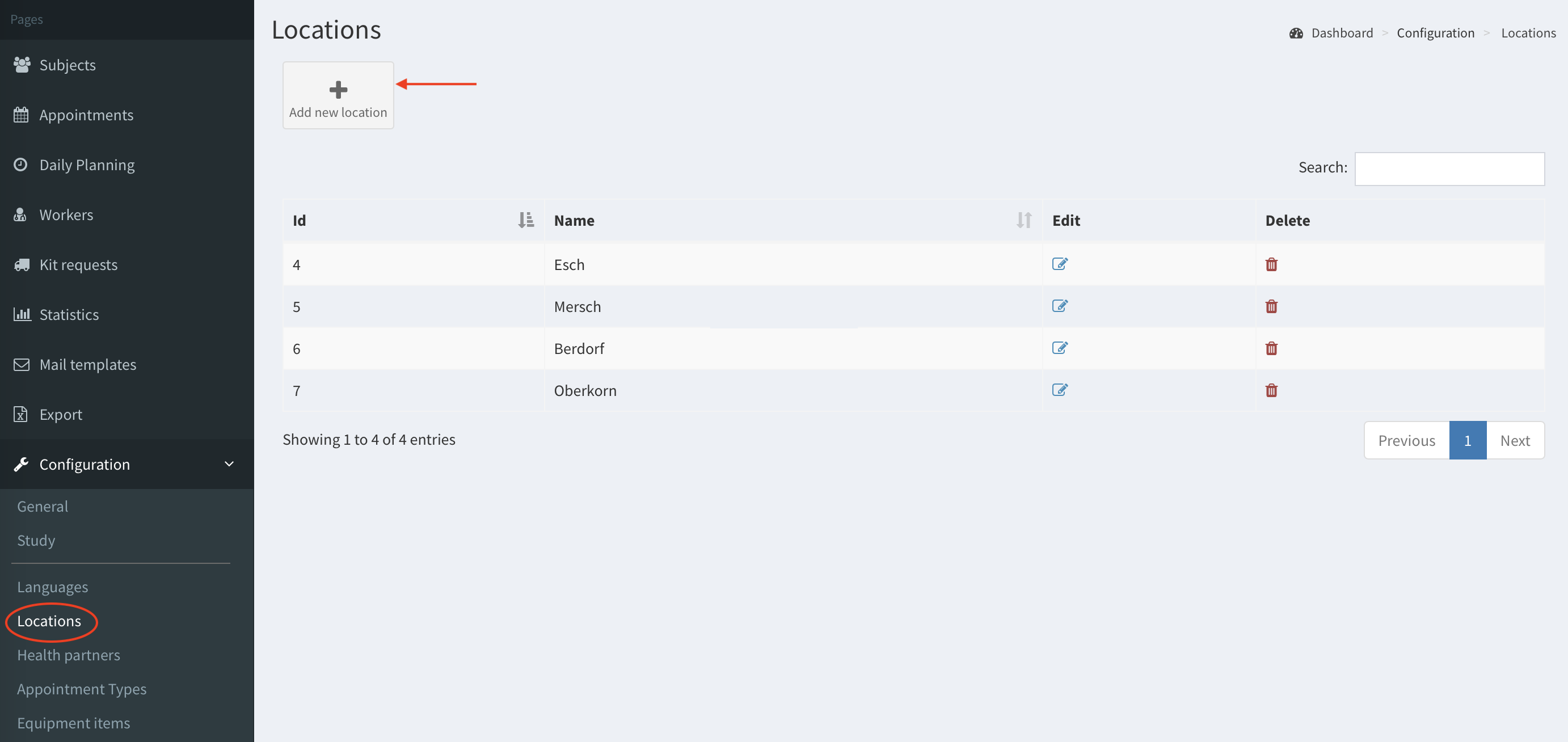
- Go to Locations in the left panel and click Add new location.
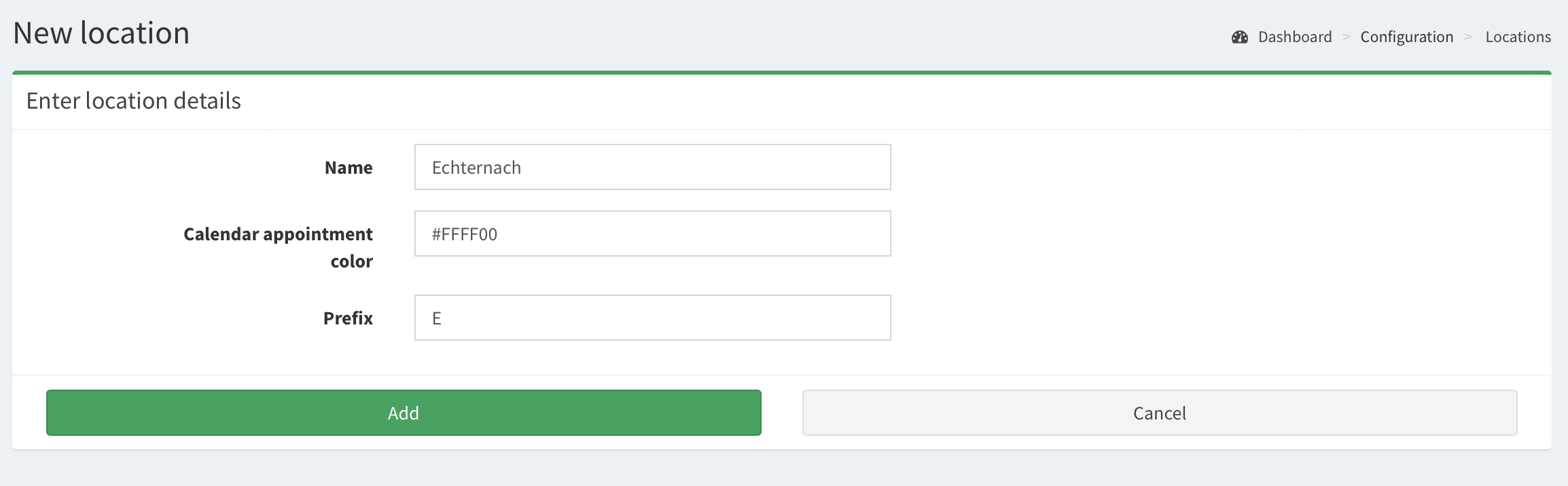
- Fill in the form and click Add.
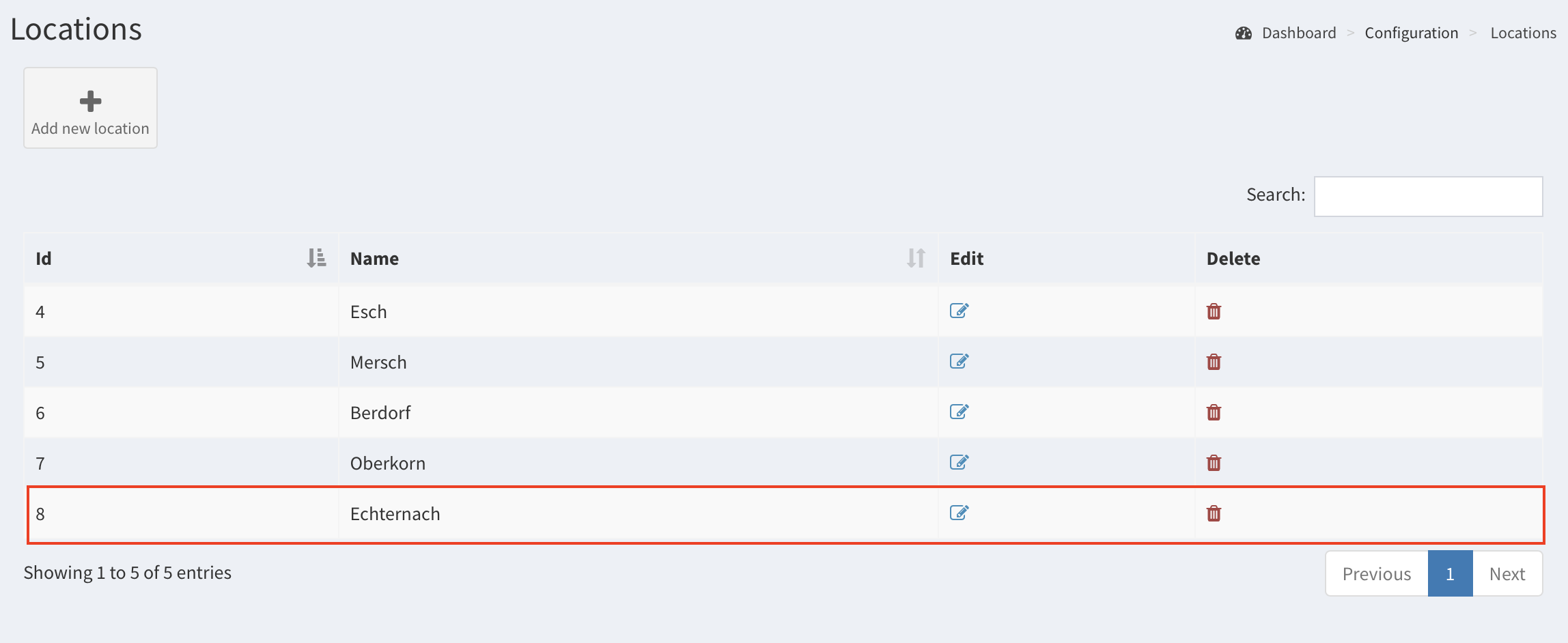
- New location has been added. You can edit or delete it with Edit and Delete buttons.
Note: If you delete a location: the appointments with this location would not be visible in appointments calendar view (as appointments in calendar view are filtered by available locations assigned to the logged user). But you can see these appointments in subject’s visits.
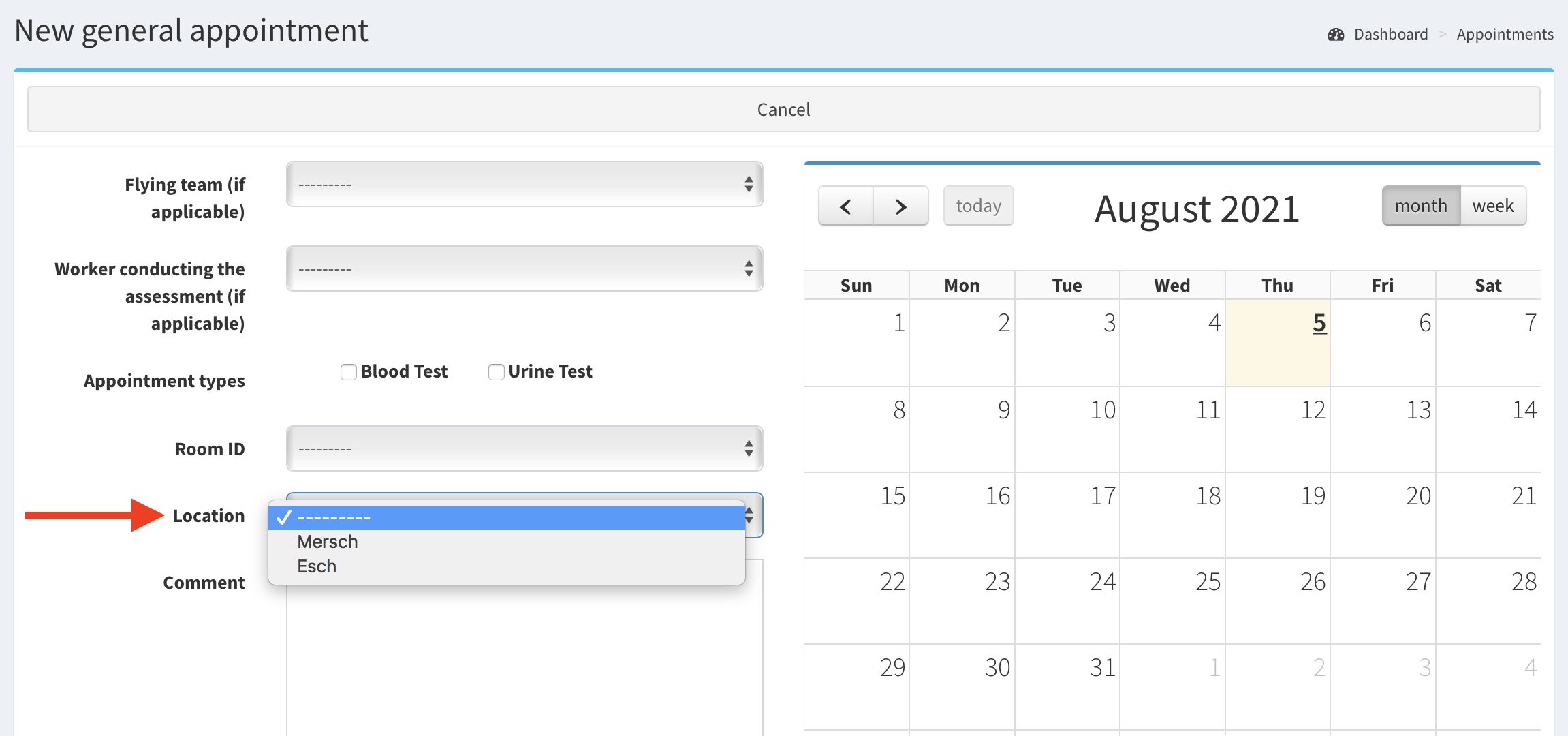
Important note: Worker can add an appointment/subject only in the location where worker is assigned to. It means if you are not assigned to location e.g. “Echternach” you can not add an appointment there, see image below.