Appointment Types#
Appointment’s type represents an assessment which will be conducted during the particular appointment (e.g blood test). The type of the appointment may be chosen, but it is not mandatory, while adding a new appointment. Due to different types of appointment the visits management is easier, and later on the visit can be marked as finished.
Add Appointment Type#
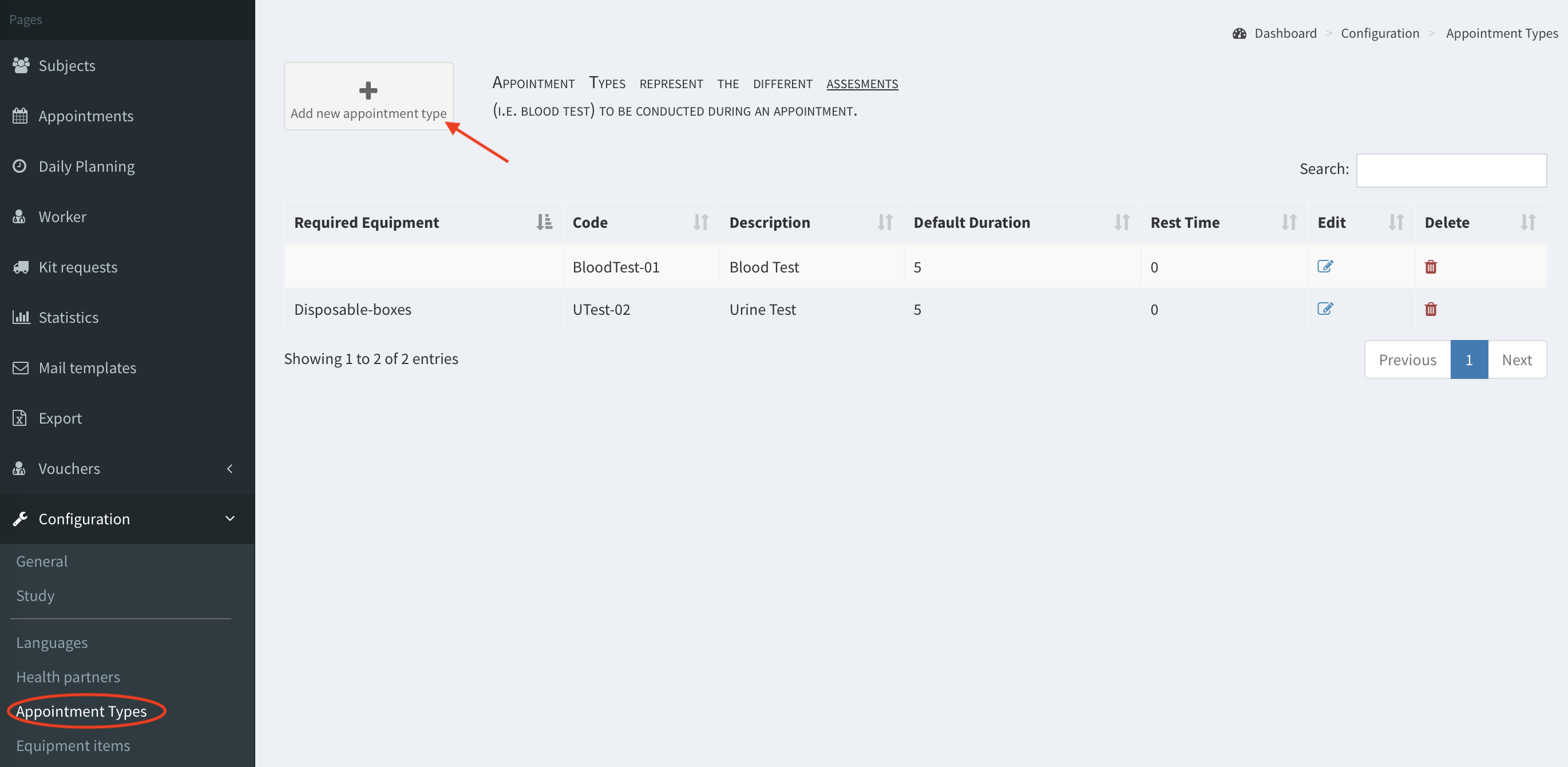
- Go to Appointment Types, then click Add new appointment type button.
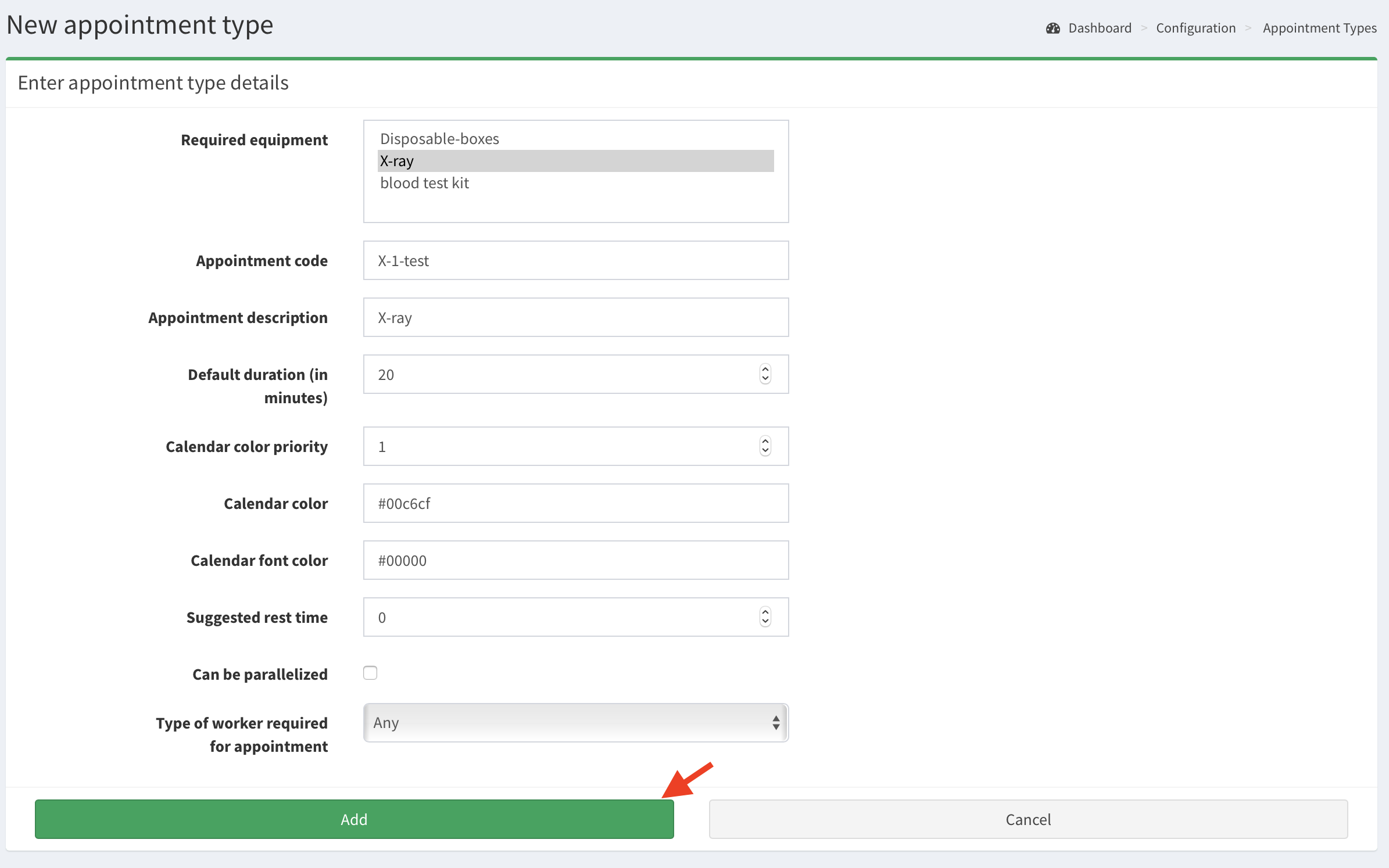
- Fill in the form, then click Add button. Note the fields description:
- Calendar color priority - a number, 1 is the highest priority. This field is useful in case there are few appointment types (assessments) to be conducted during the appointment. The color of an appointment type with the highest priority will mark the appointment in Calendar view. Example: If during the appointment there will be two assessments: test blood (colored red, priority 1) and X-ray (colored green, priority 2), that appointment bar in Calendar view will be displayed in red.
Note: calendar color priority is considered in the Calendar view only if there is no color assigned for a location. If the location has colors assigned, all appointments bars are colored as per this location’s color.
Calendar color - hex code, e.g.
#00FF00; the color of the appointment’s bar displayed in Calendar view.Calendar font color - hex code, e.g.
#000000; the color of the font in the appointment’s bar displayed in Calendar view.
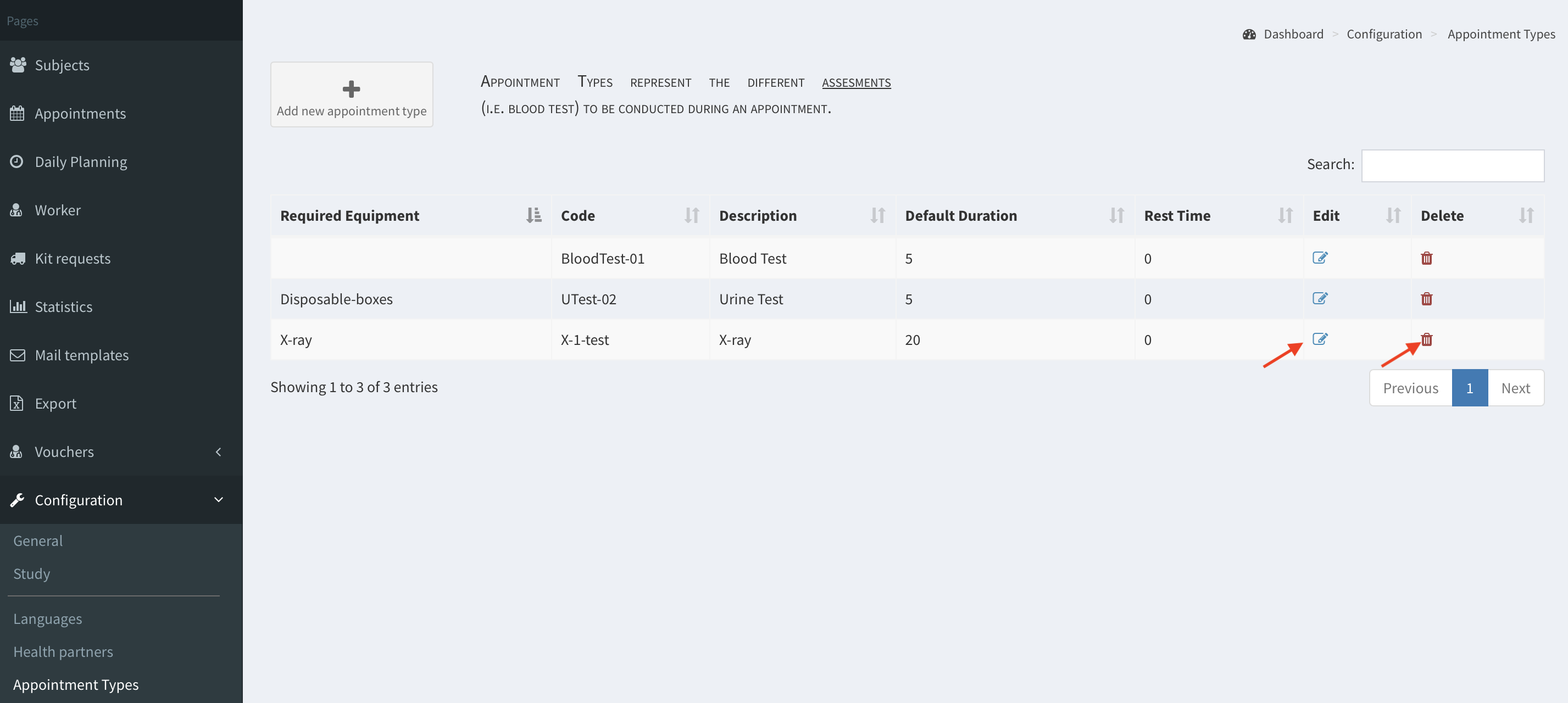
- The appointment type (assessment) is added now. You can edit and delete it using edit and delete icons (image below).