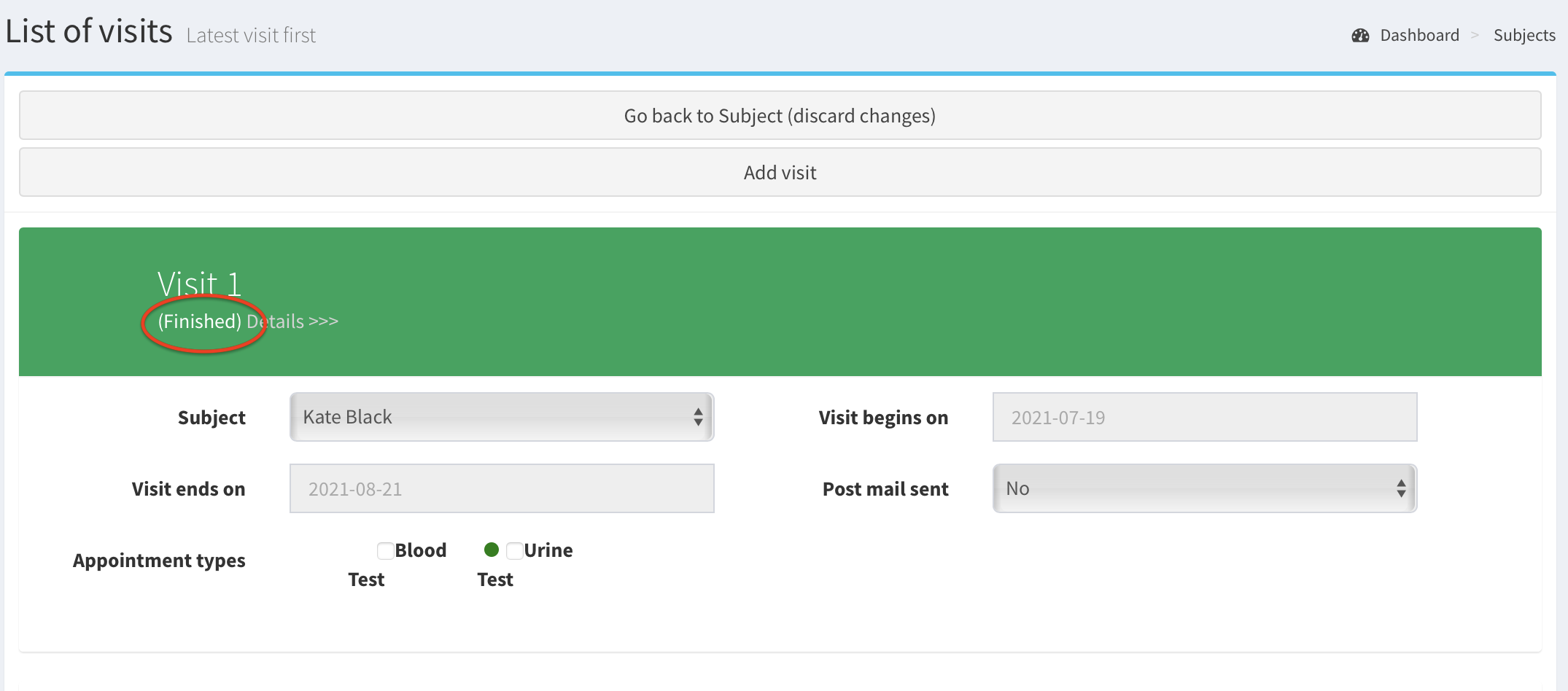
Mark a visit as finished#
The visit can be marked as finished only if:
- all appointments in the visit are finished,
- the finished appointments must contain all visit’s appointment types.
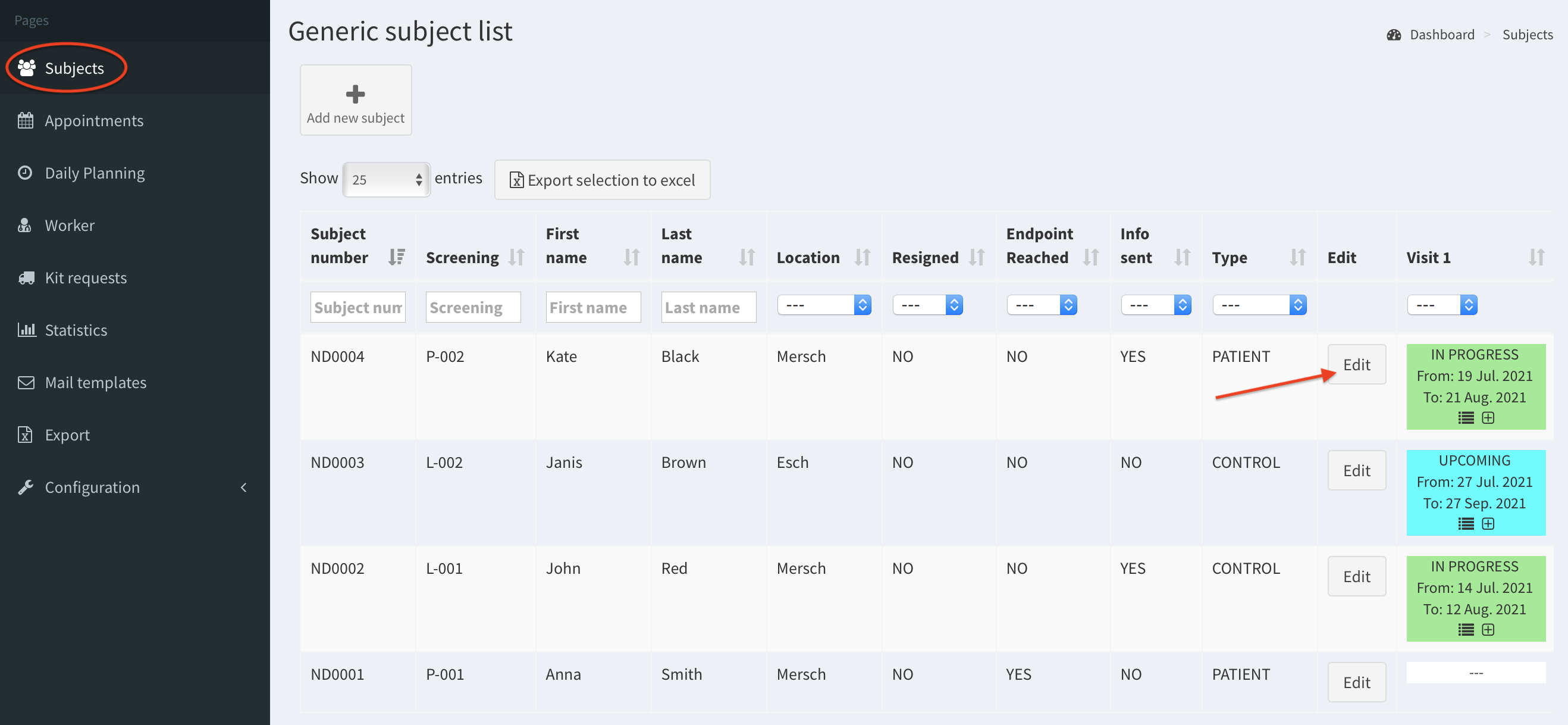
- Click on the Subjects button on the left column. Then click on the Edit button for particular subject.
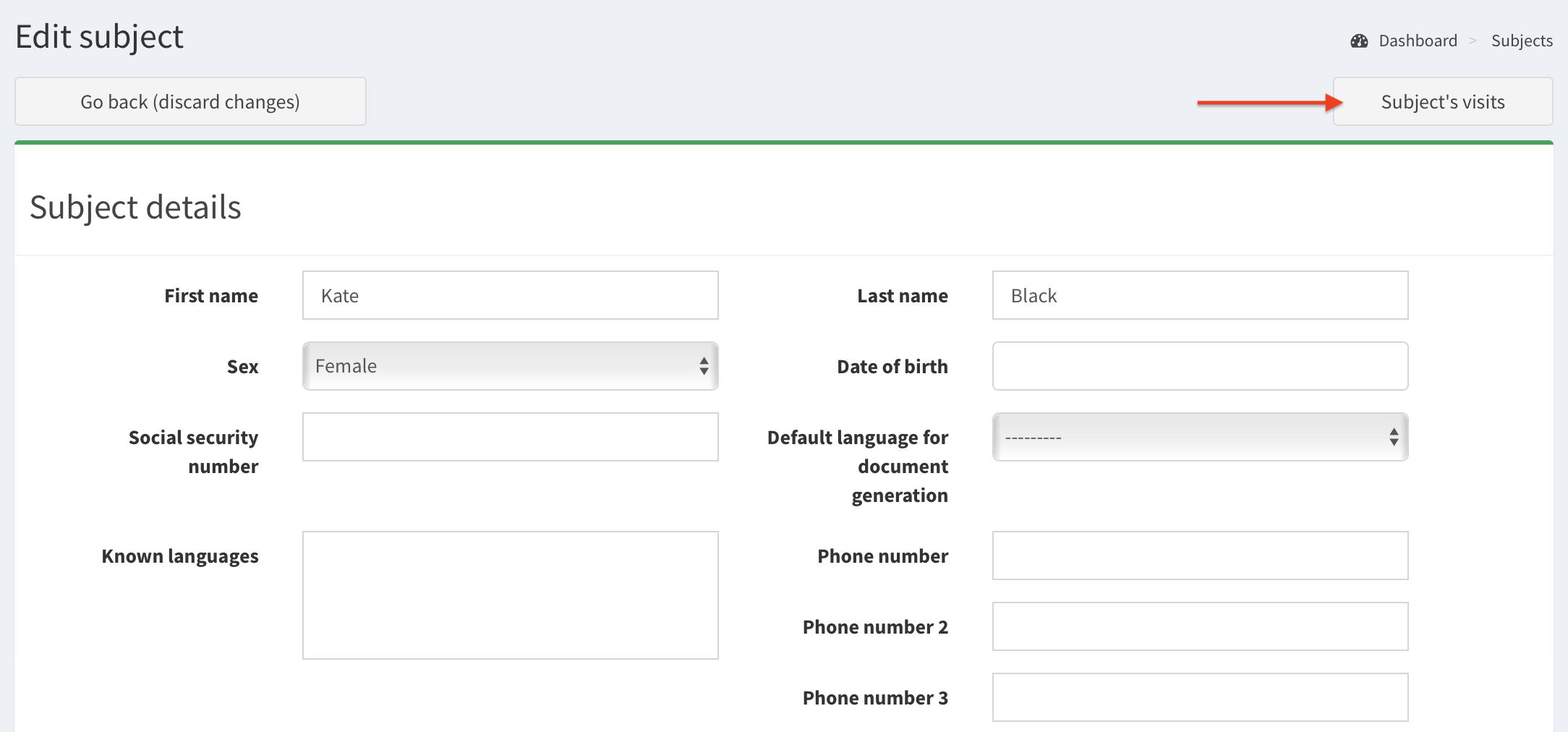
- Click on the Subject’s visits button.
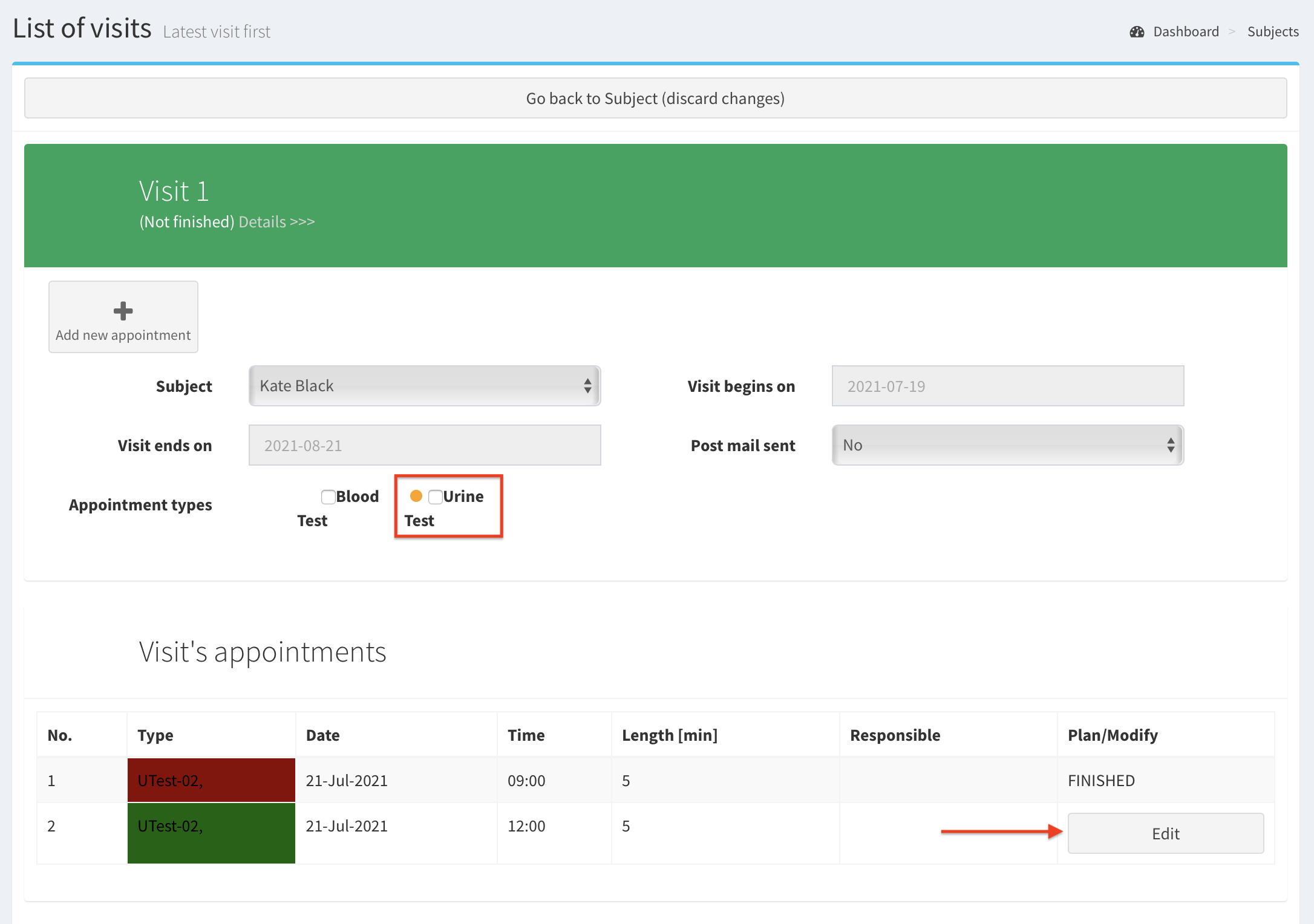
- To mark visit as finished all visit’s appointments must be finished. Image below shows visit which awaits Urine Test assessment (orange dot). At the bottom we see visit’s appointments - one is finished, and the later is ongoing. Now we will mark this appointment as finished. Click Edit button.
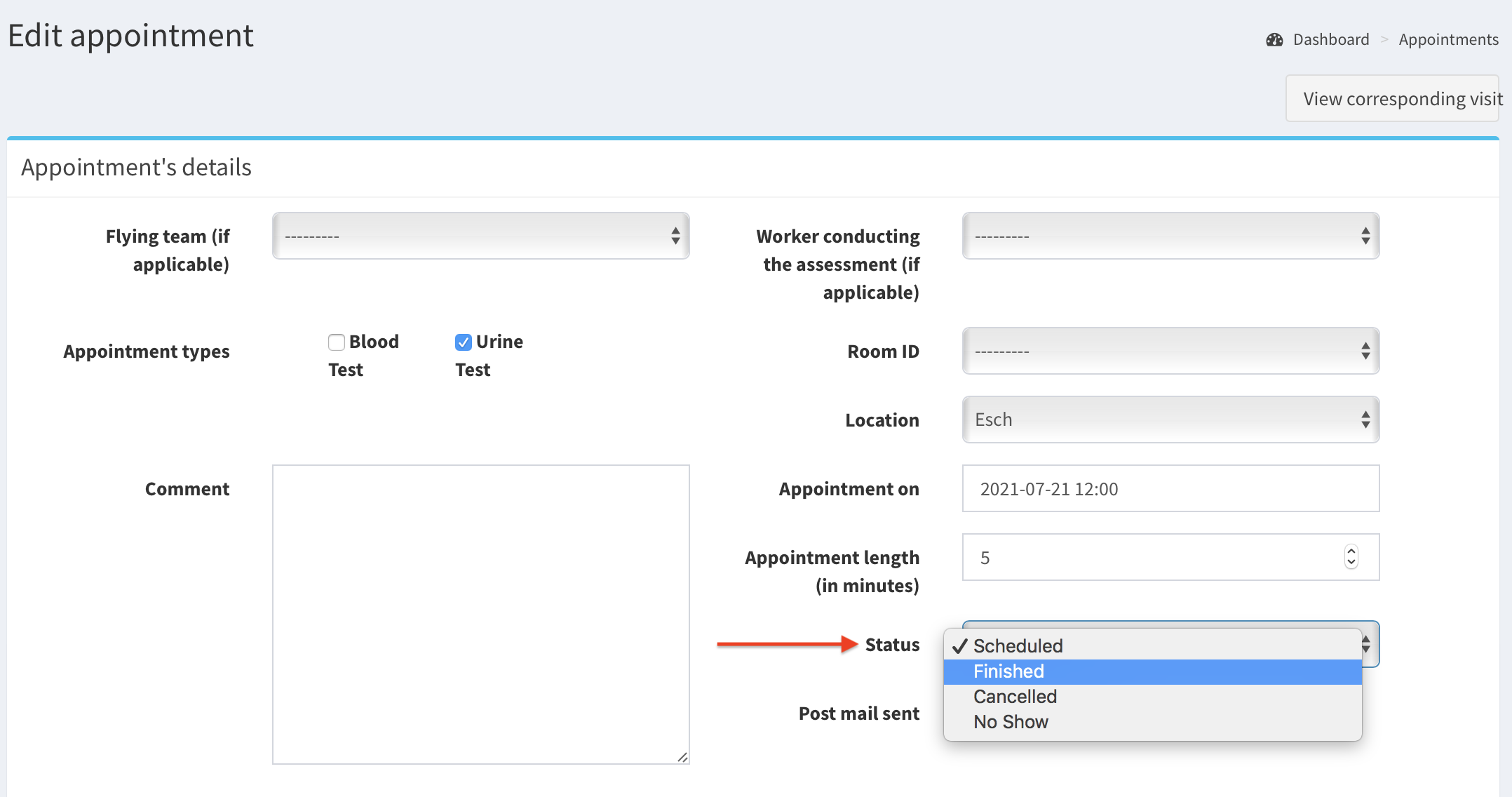
- Change appointment Status on finished.
- Then, scroll down and click Save button.

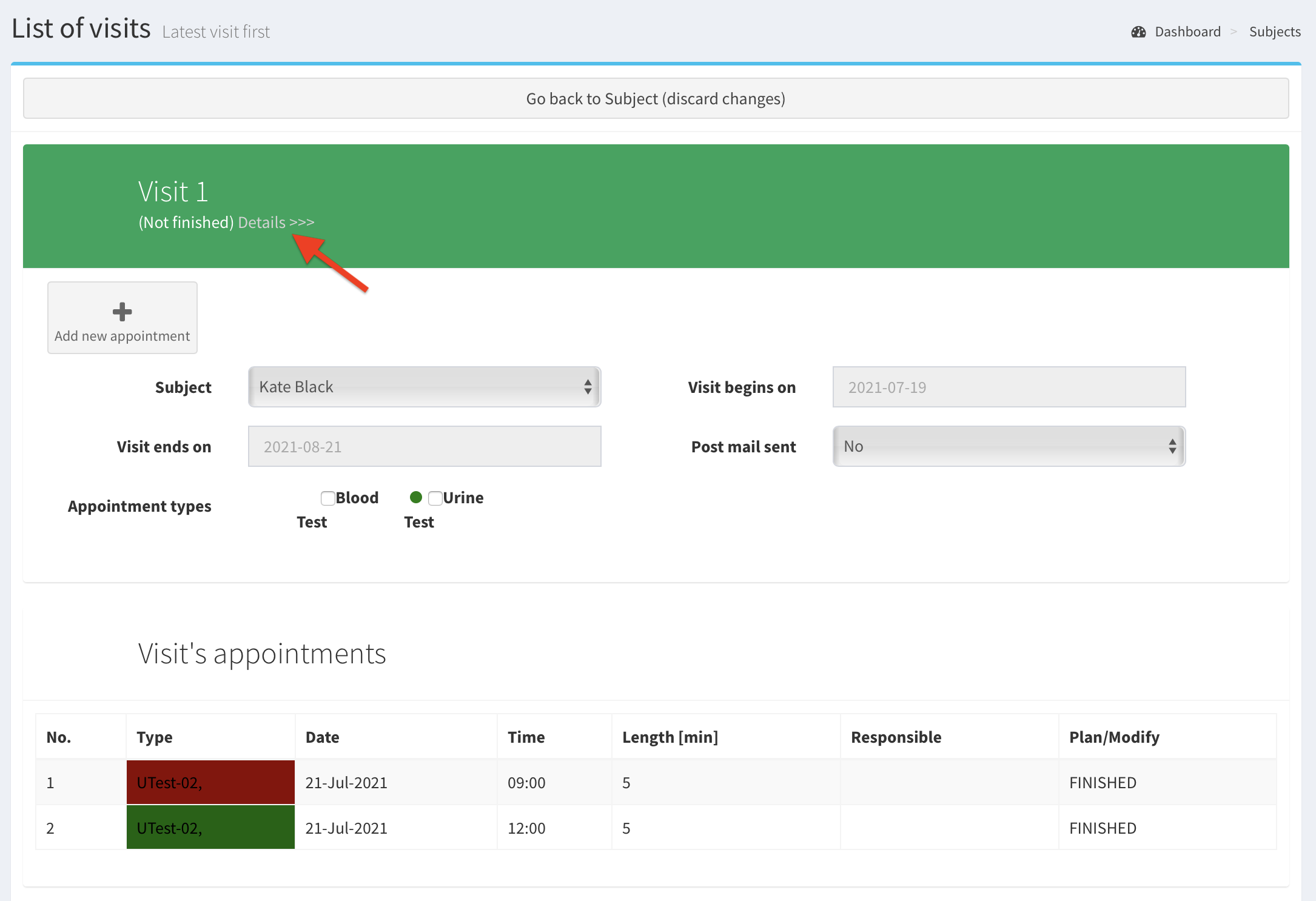
- All appointments are finished. Also, there is green dot next to Appointment Type. Now, click Details of the visit.
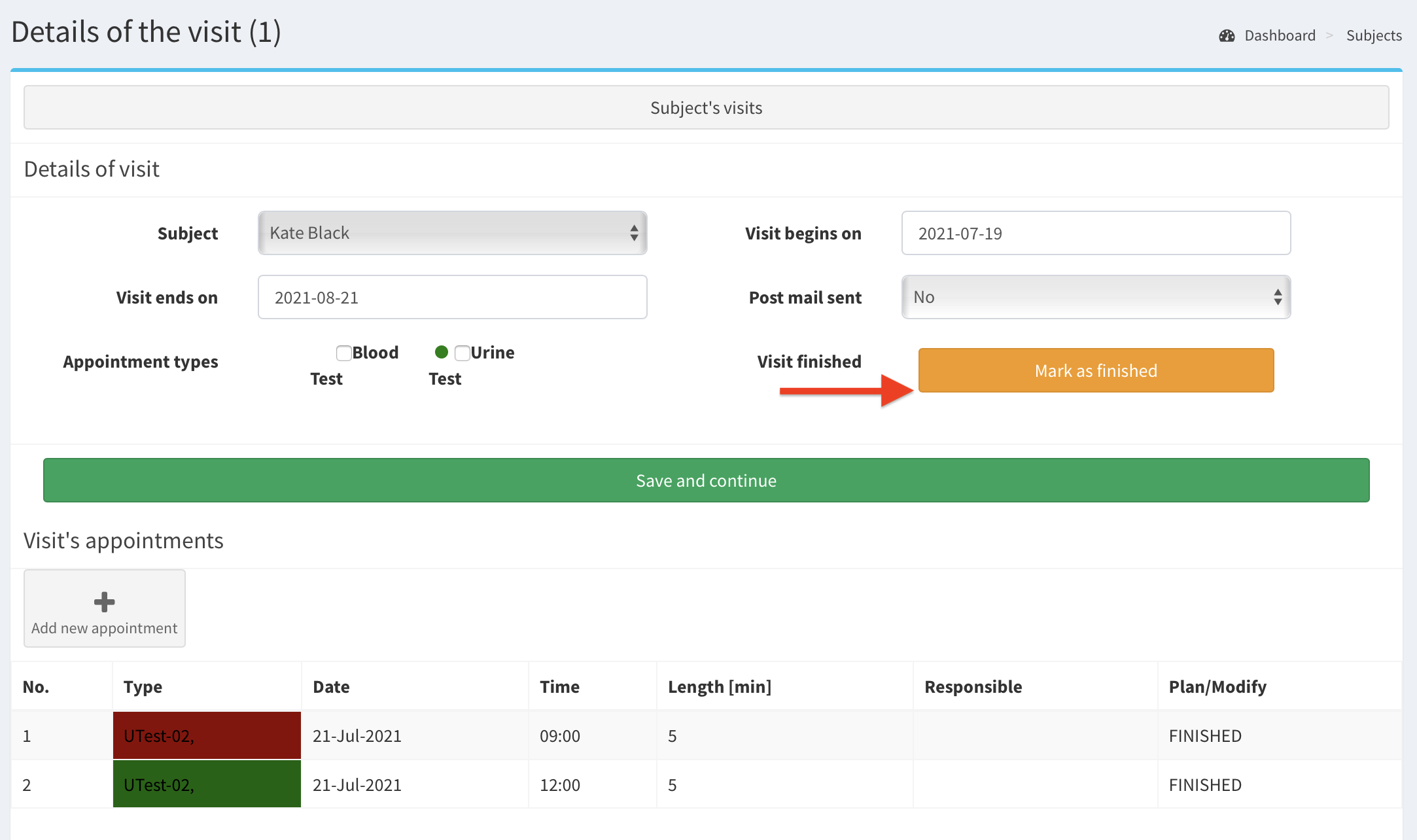
- Click on the orange box button called Mark as finished to mark the visit as finished.
- Click on Save and continue to accept the change.
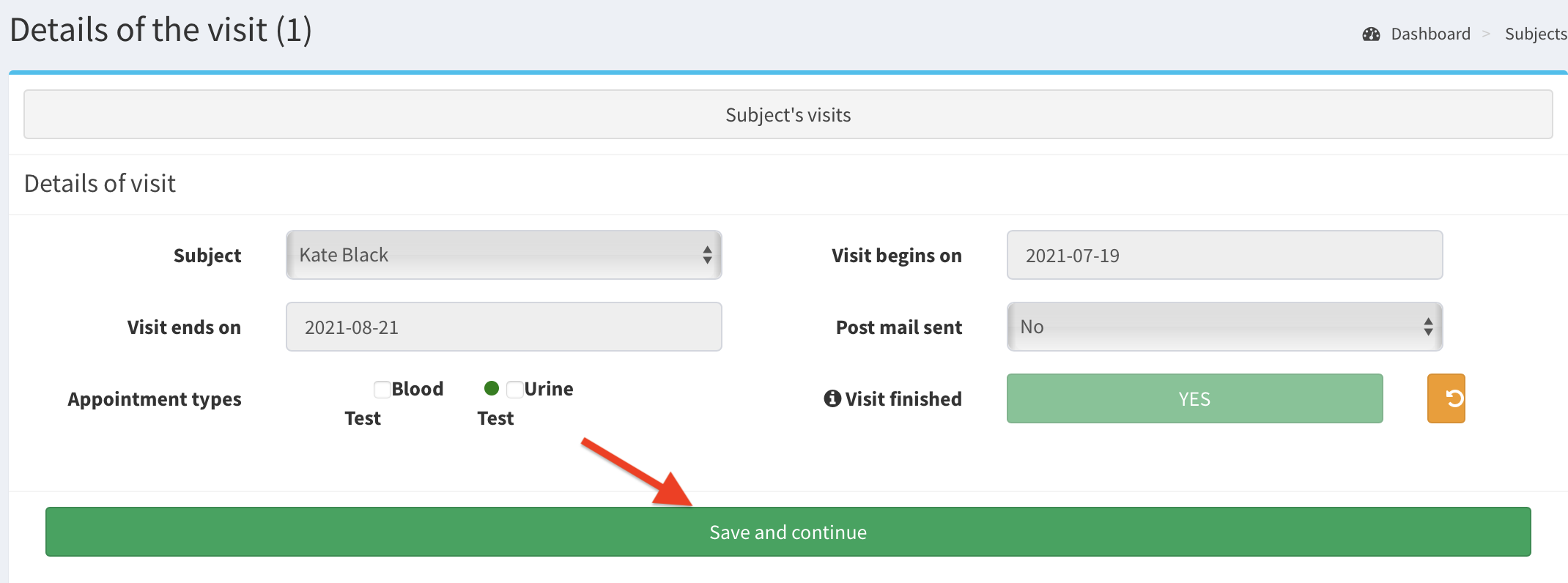
- The visit is marked finished.