Add an appointment in a visit#
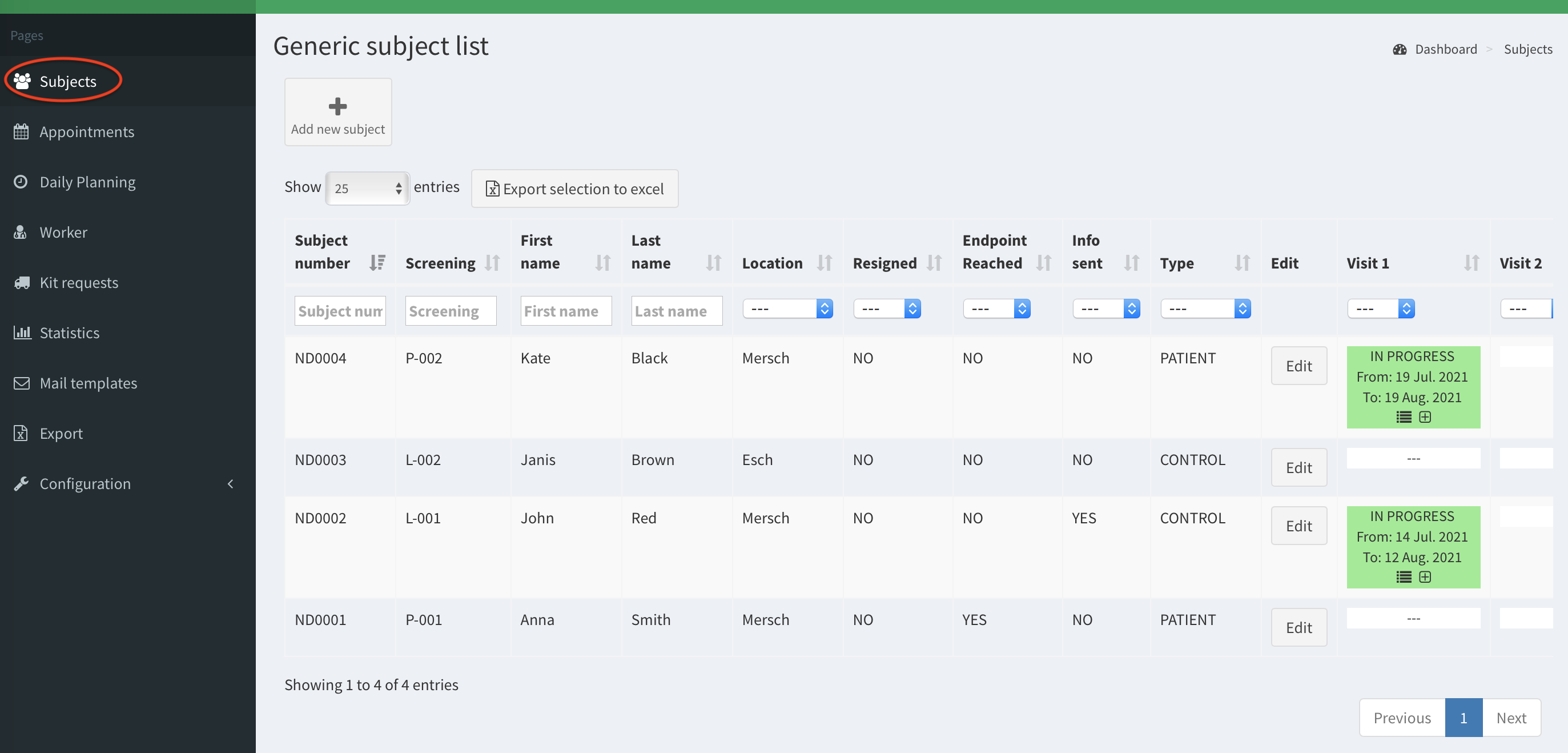
- Click on the Subjects button on the left column.
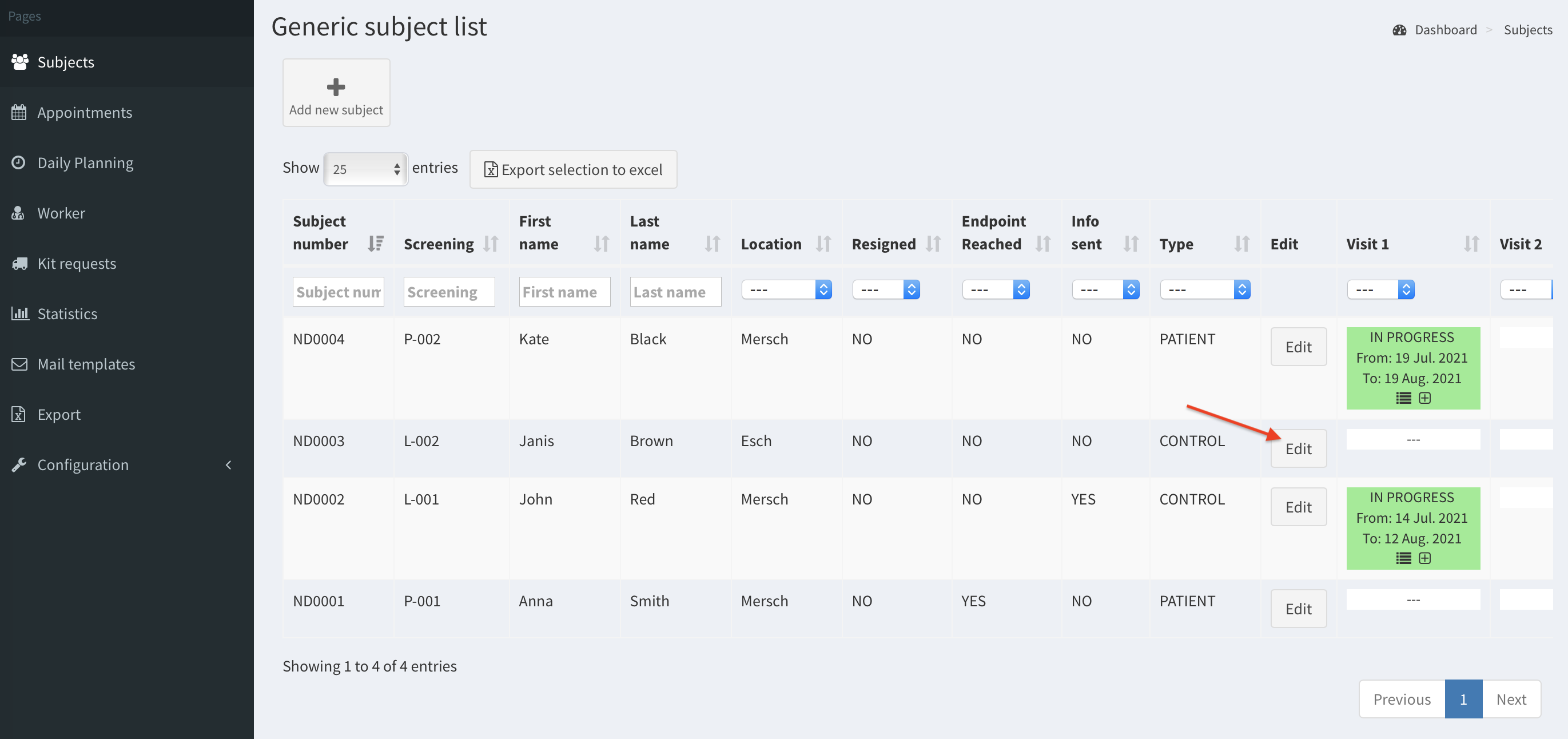
- Then click on the Edit button for particular subject.
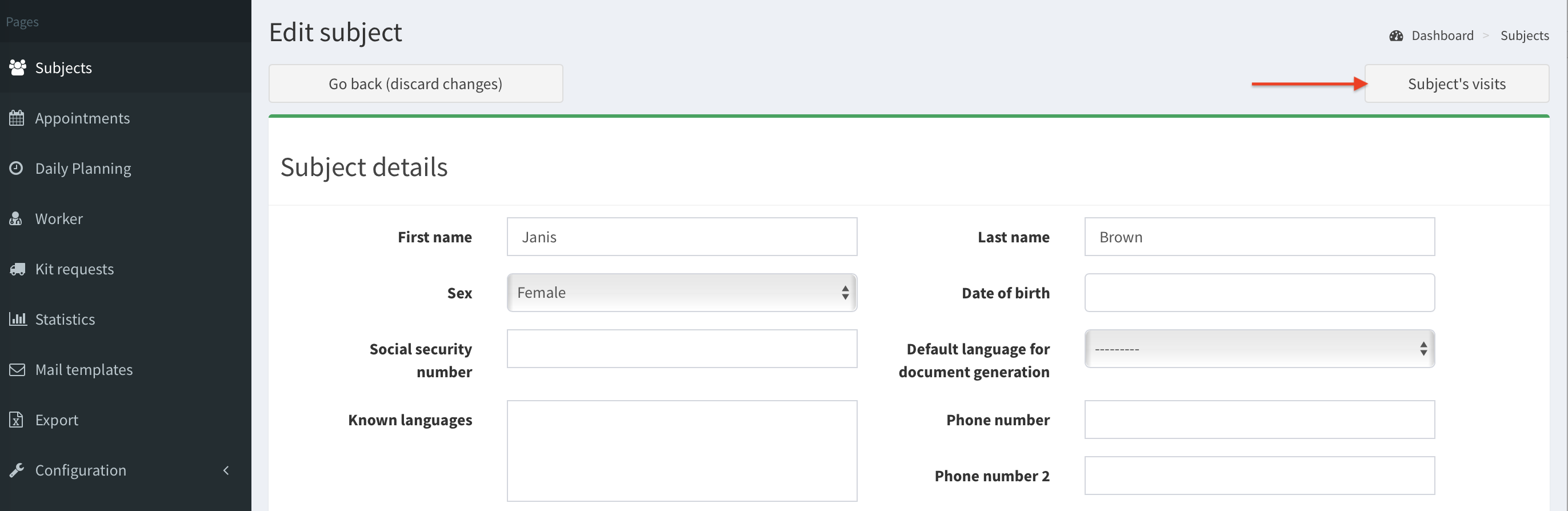
- Click on the Subject’s visits button.
- This subject does not have any visits yet. Before we add an appointment we need to create a visit. Click Add visit button.

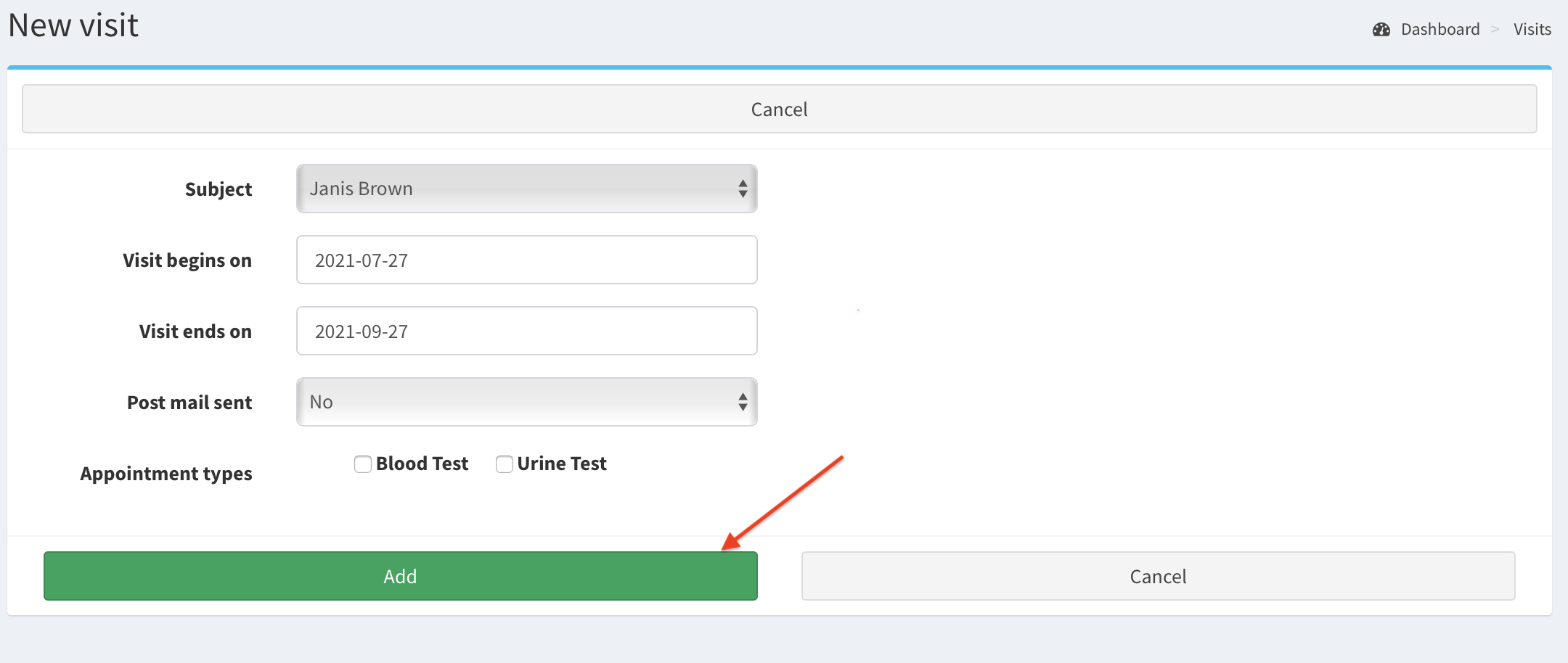
- Fill New visit form, then click Add.
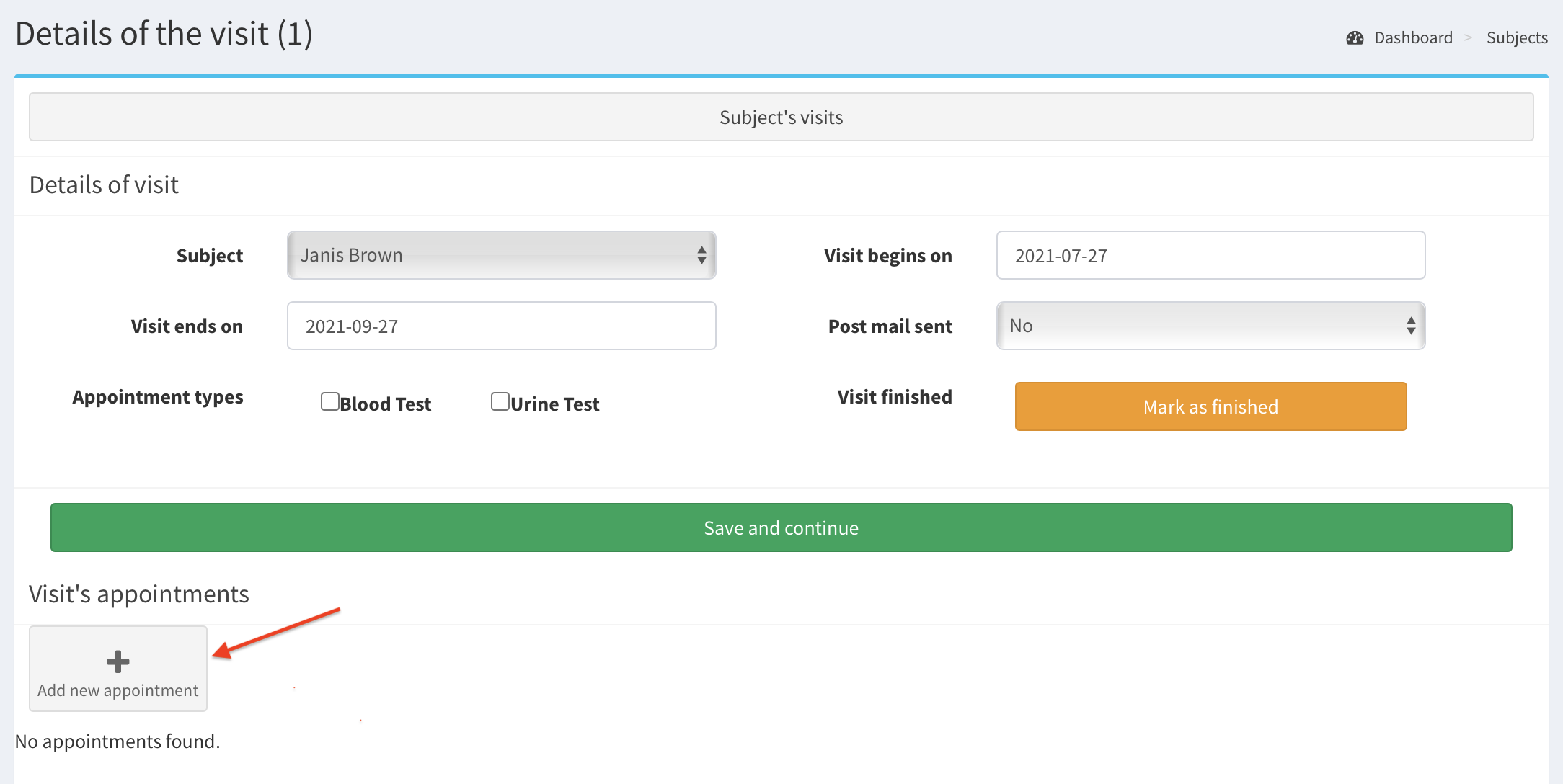
- Now, you can add an appointment in the visit. Click on Add new appointment button.
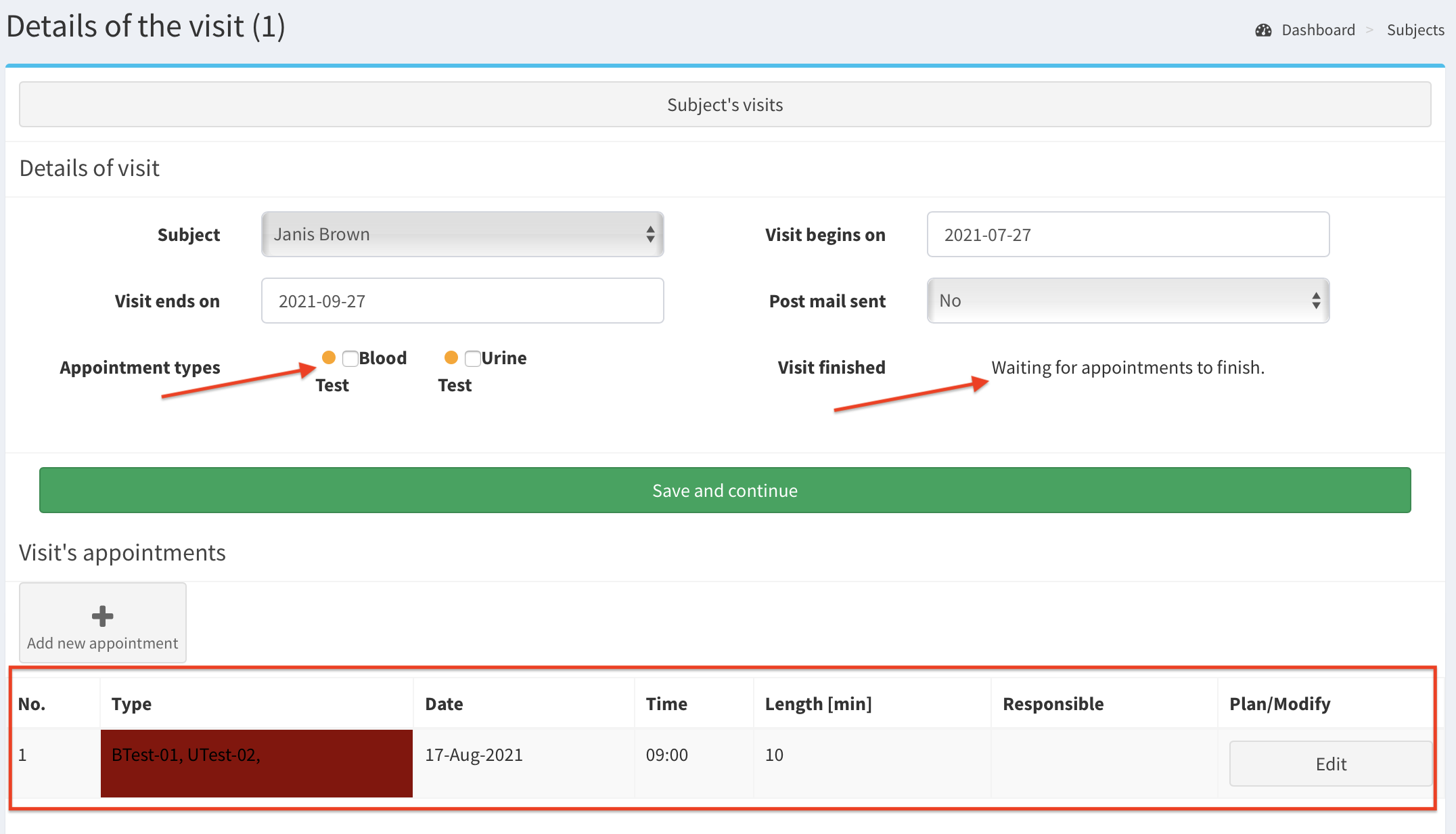
- At this stage, enter the various information of the appointment. Click on the calendar on the right side to choose a date of an appointment. In our example: the appointment will start at 9:00 17th August 2021. During it two assessments (appointment types) will be conducted (blood test and urine test).
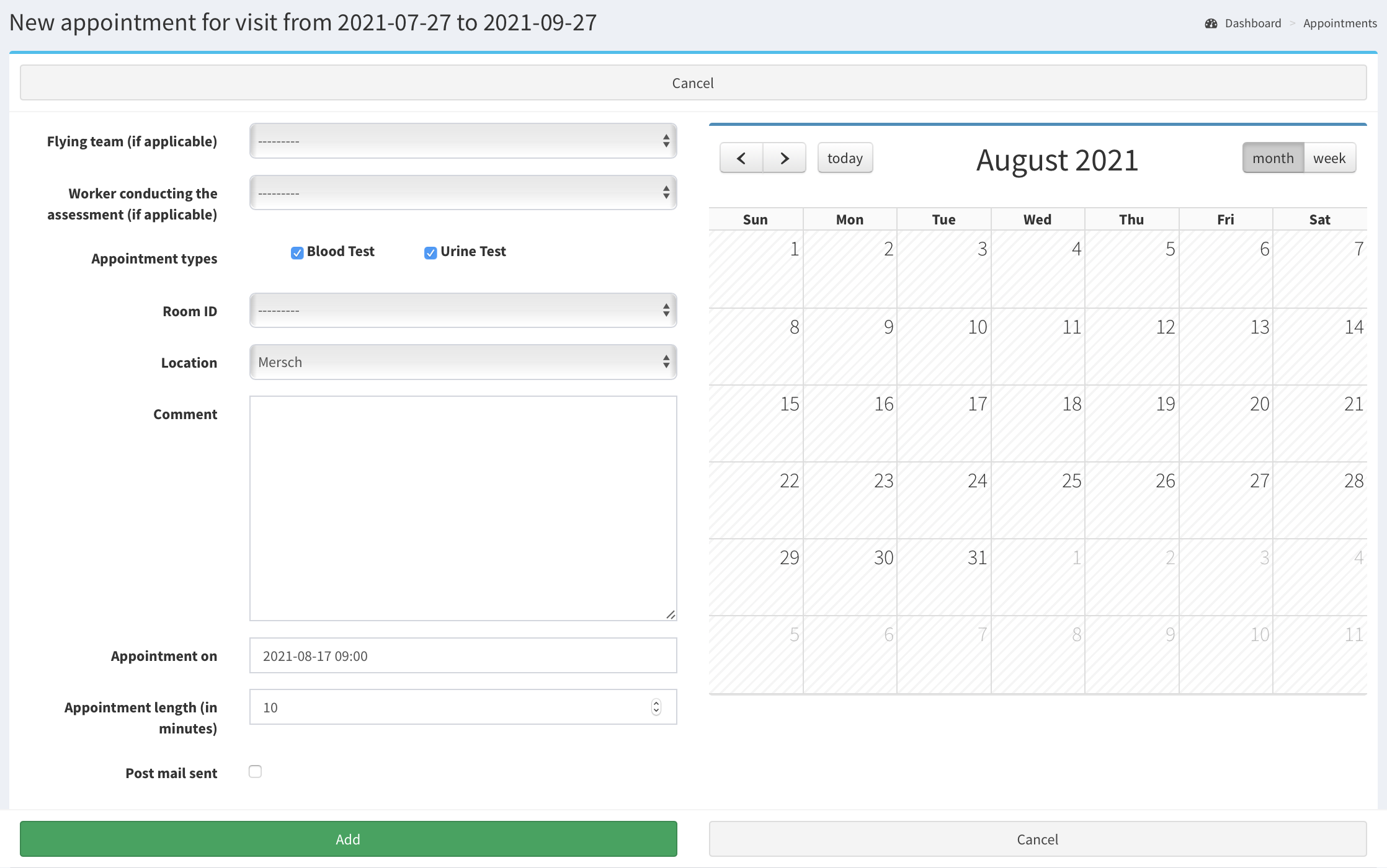
Click Add button to add the appointment.
Now you see details of the appointment in Visit’s appointments. Also, status of the visit has changed to Waiting for appointments to finish. Next to the appointment types the orange dots are displayed marking that these assessments are scheduled. After assessments in appointment are finished the visit can be marked as finished too.