Mail templates#
What are mail templates?#
The mail templates facilitate preparing documents for mass communication. The template is a *.docx (Word) file with some content. Hence, you do not have to create each document from a scratch. There are four different contexts of the mail templates (appointment, subject, visit, voucher), available in corresponding SMASCH page. Also, each template can be flagged with the language type or be edited at any time.
Note: Mail templates can be printed only for subject’s appointments, not for general ones.
If there are already any templates in your SMASCH instance, just download the template, customize its content/details (patient’s information) and send it to the patient.
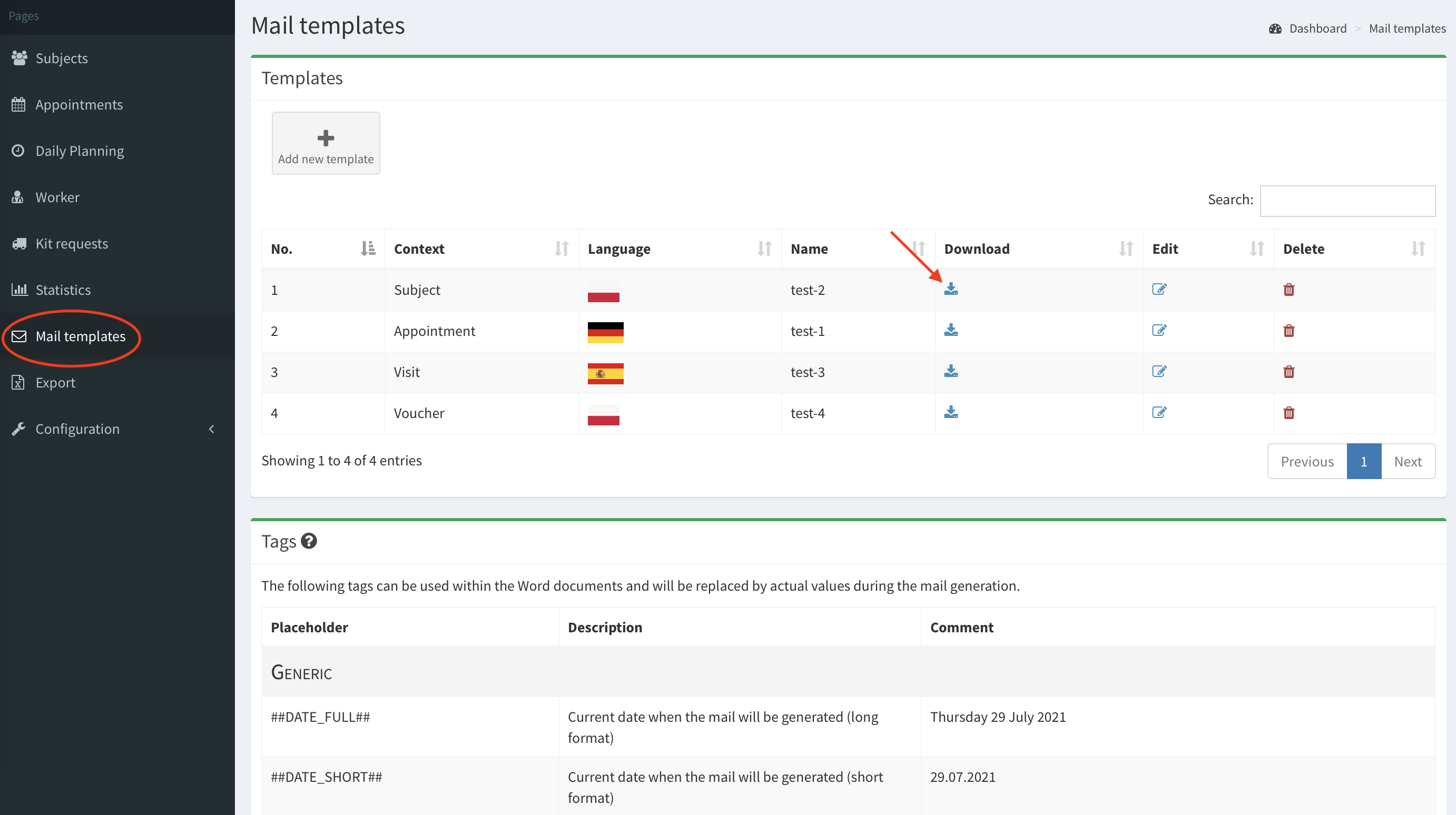
How to create a template?#
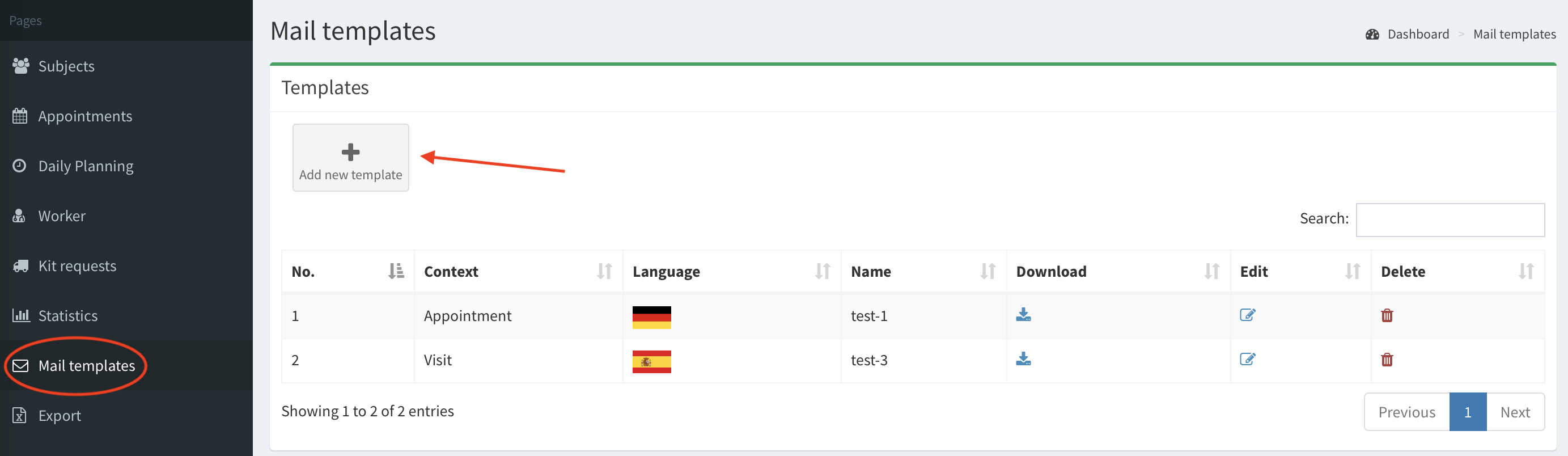
- Start by clicking on the Mail templates button on the left column, then click Add new template button.
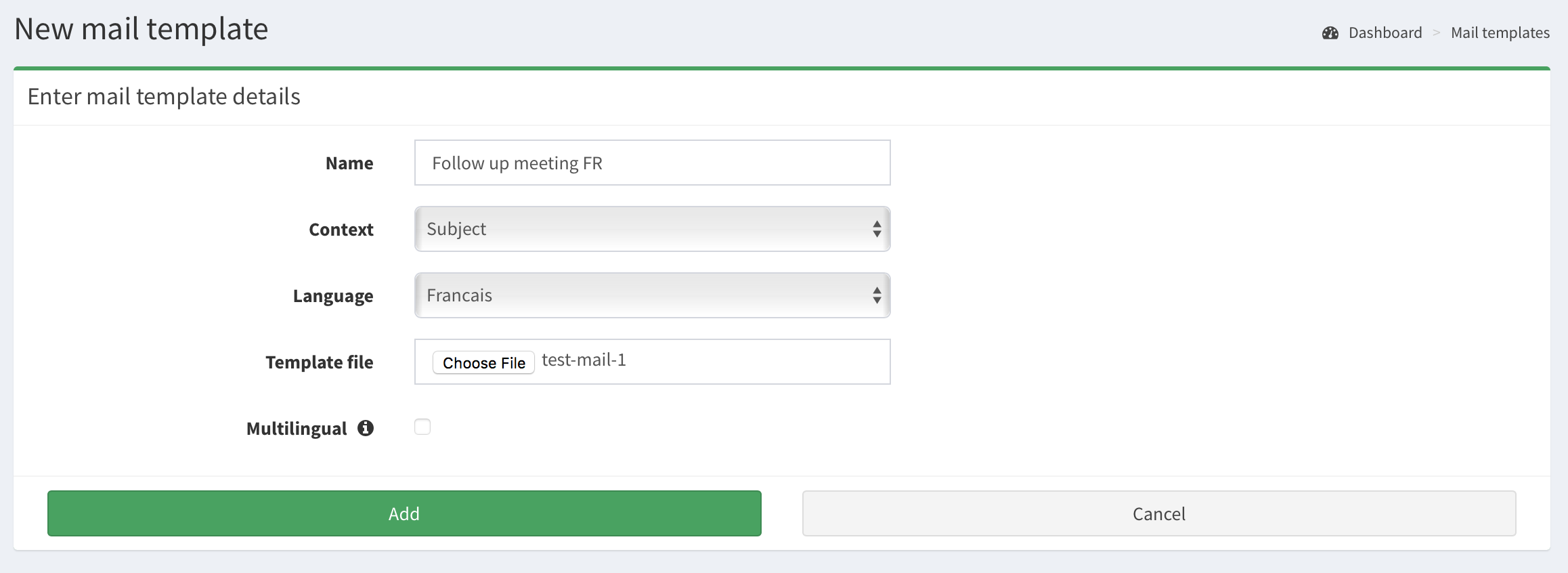
- Fill the form with template’s name, choose its context and one of the languages (available in SMASCH). Note: The mail template will be removed from Mail templates list if you remove its corresponding language in SMASCH.
Next, click Choose file in Template file to choose from your computer’s files the requested template.
- Click Add button to confirm adding the new template. Now, it is displayed in Mail templates list.
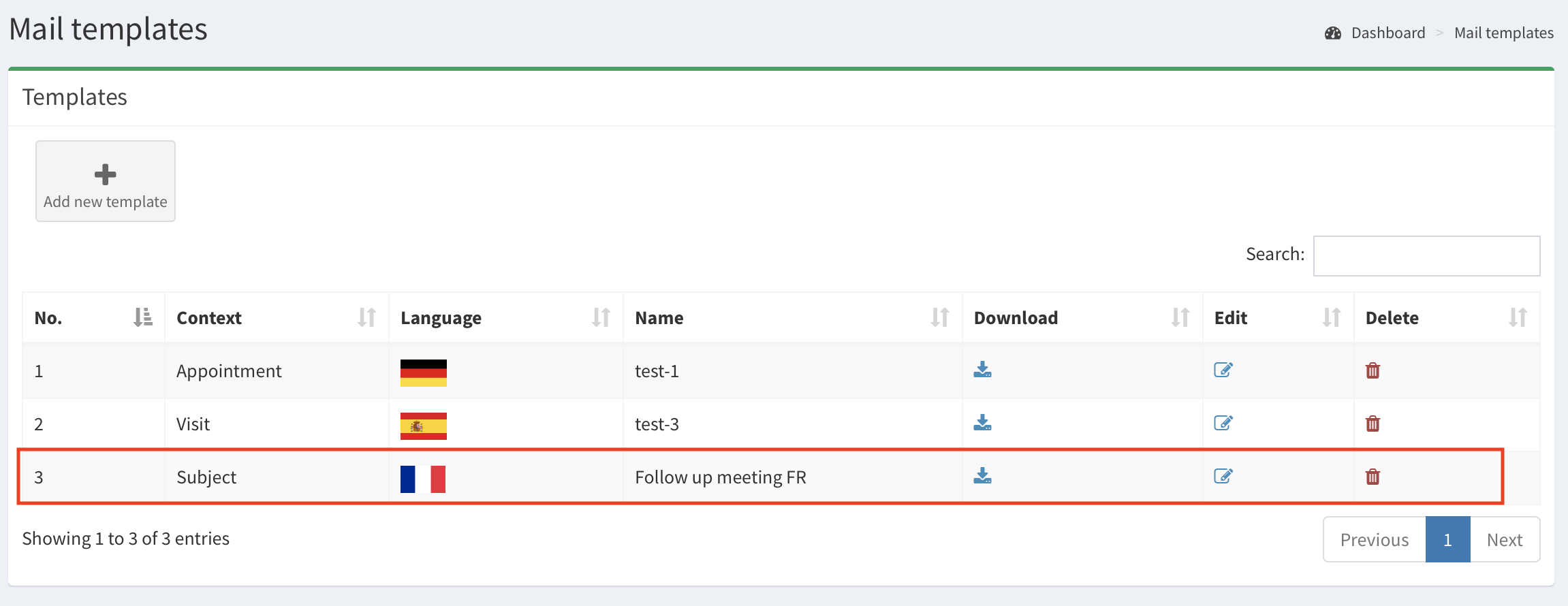
- The template can be edited or removed at any time by using Edit or Delete buttons.
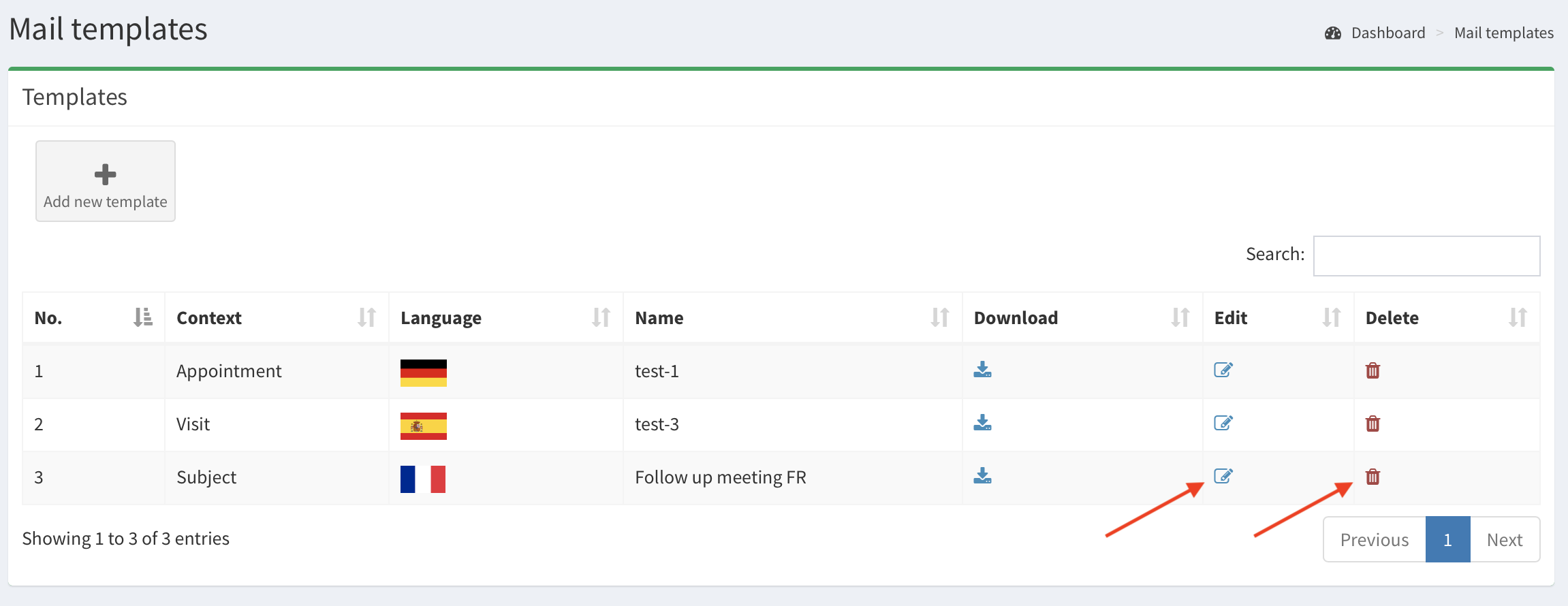
Contexts of the template and mail generation#
There are four types of the template contexts (appointment, subject, visit, voucher). Depending on the context, each template is available on its corresponding Edit page in section Generate Mail. Click on available template’s icon (image below) to download the template and customize its details. Image below shows the Appointment’s templates displayed in particular Appointment’s Edit page. The template in Spanish is unavailable - read about it in the next paragraph.
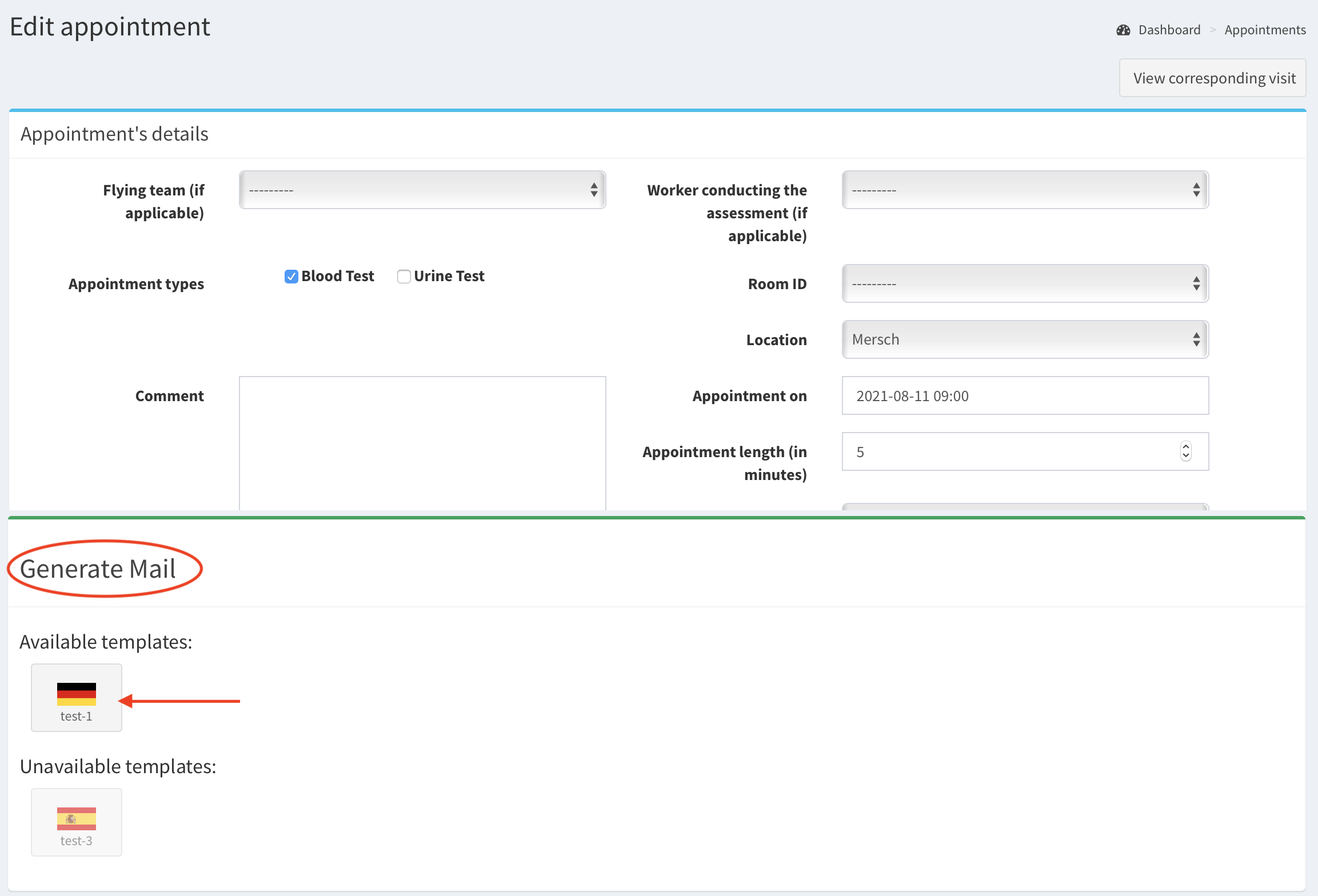 Generate Mail in Edit details of Appointment page
How language influences the usage of the template#
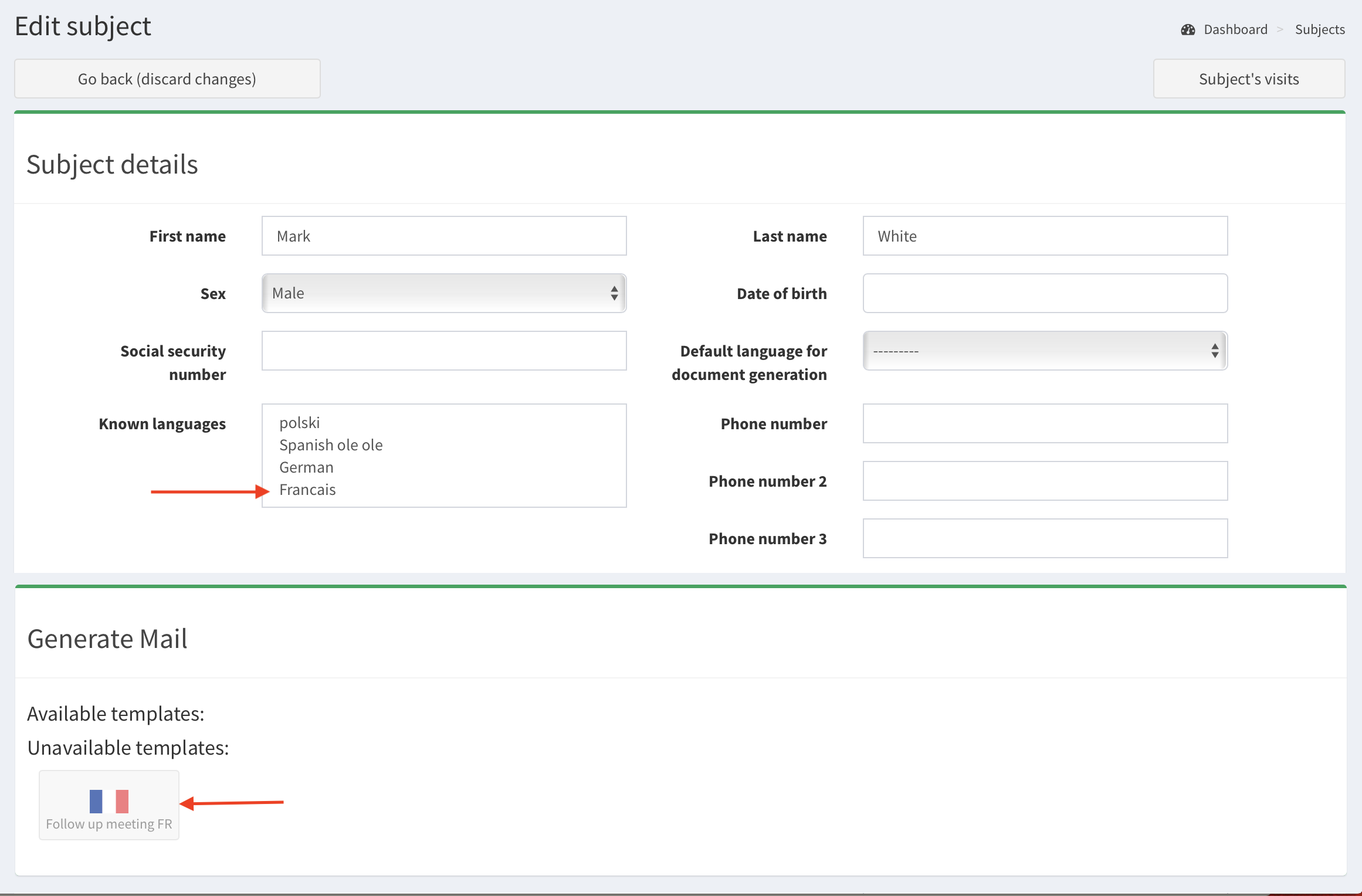
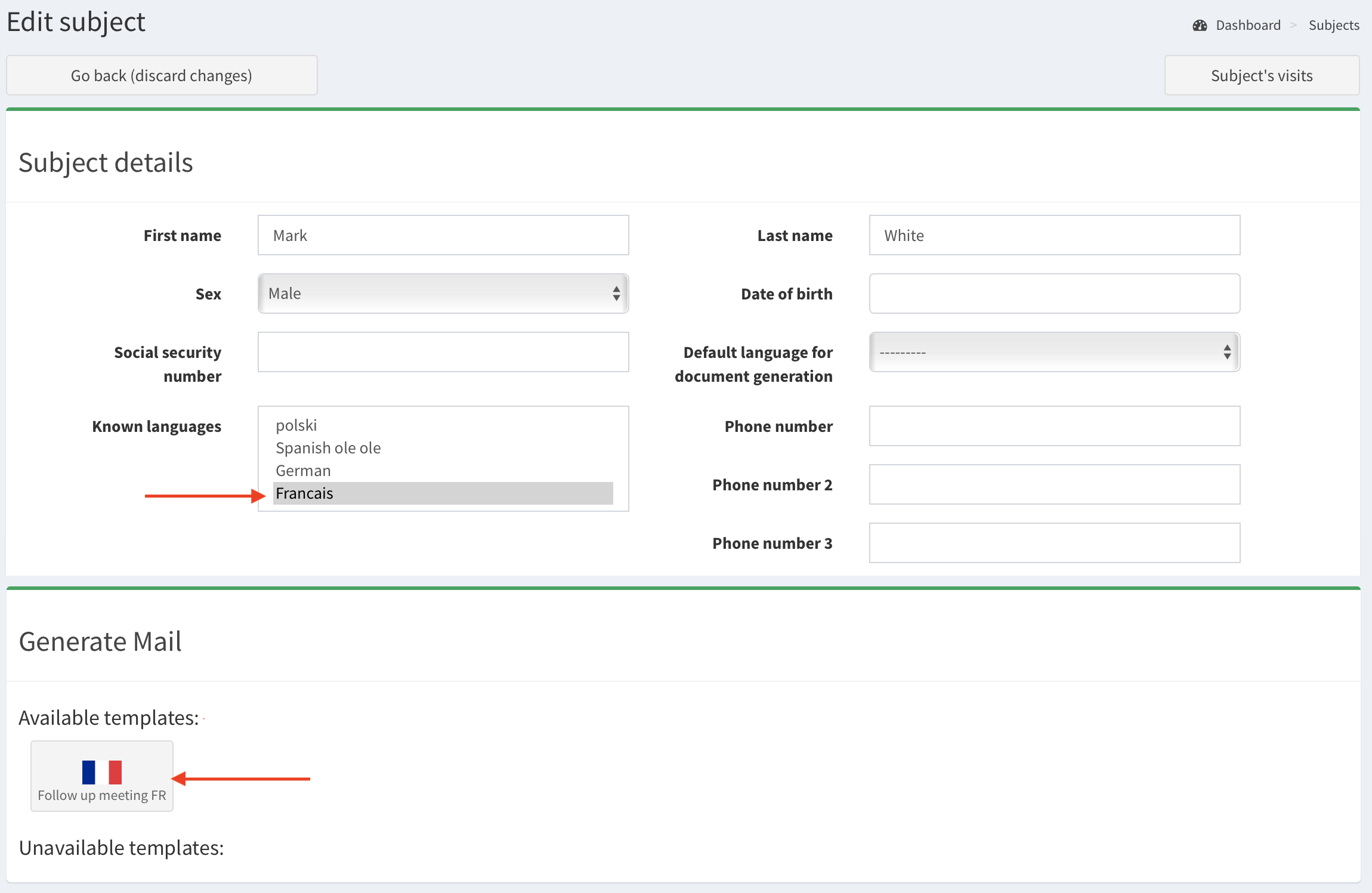
The templates in Generate Mail section can have status Unavailable thus you can not download this template. To have the available template, the subject has to speak the same language as the template marked. See the images below. The first image shows unavailable template in French, as the languages of subject are not defined. The later image presents the template is available, after the subject’s language is French.
Important Note: The mail template will be removed from Mail templates list if you remove its corresponding language in SMASCH.
How to use placeholders?#
The placeholders are special expressions that can be used within the Word documents. These expressions will be replaced by the actual values during the mail generation. The available placeholders and their descriptions are displayed in the table Tags in Mail templates (image below).
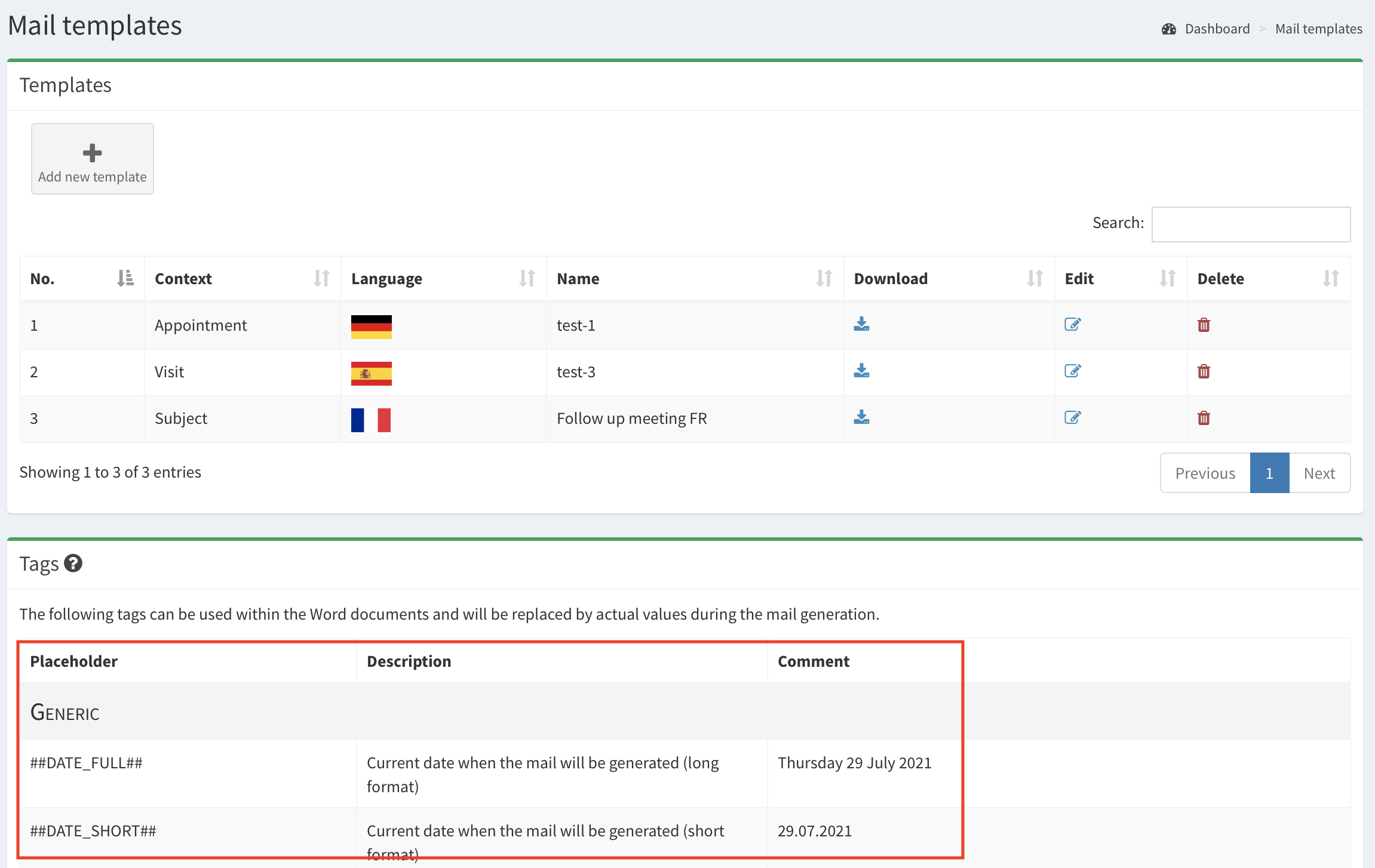
To use a placeholder, input in your template (Word document) the required expression, e.g. ##DATE_FULL## instead of the current date. ##DATE_FULL## will be replaced with current date (e.g. Tuesday 03 August 2021) during each mail generation.