Languages#
Languages are used to generate the documentation for subjects and the mail templates.
Add/edit new language#
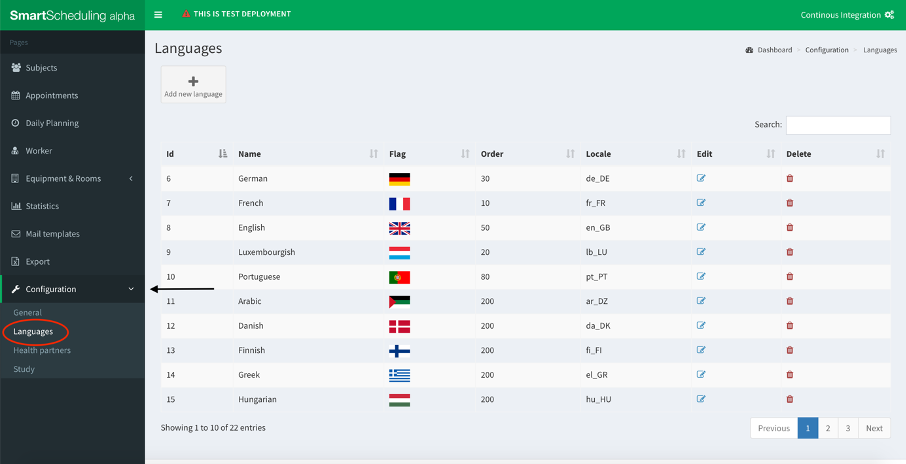
- Click on the Configuration button on the left column and select Languages.
- Click on the button Add new language.
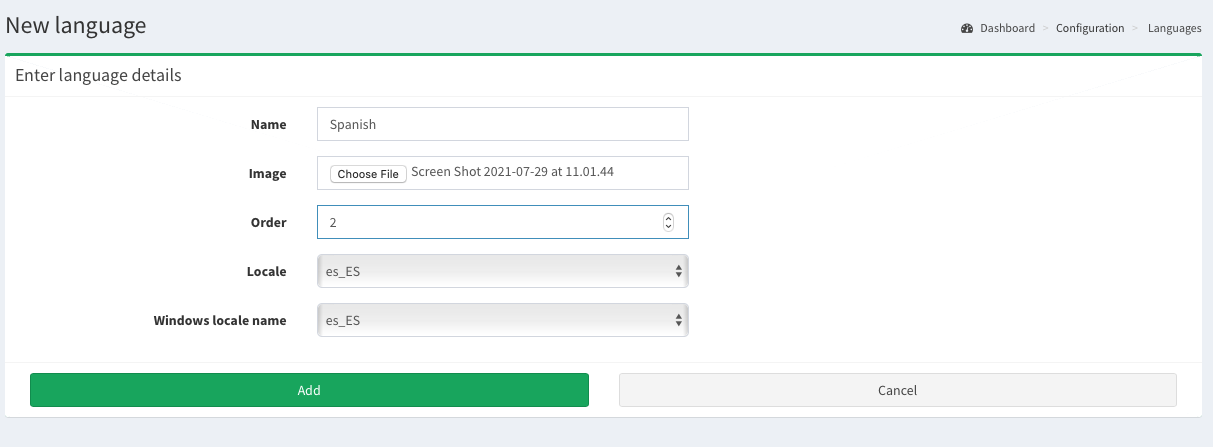
- Complete the fields and choose an image for the language that you create. Then click Add.
Image: chosen image will be displayed in the Flag column.
Order: describes the order in which languages are displayed in drop down menu (e.g. Default language for document generation in Add subject.)
Locale of chosen language, e.g
es_ESfor Spanish. Note: Ask administrator to include all needed language locales during installation, otherwise generation of mail templates may fail.
Delete language#
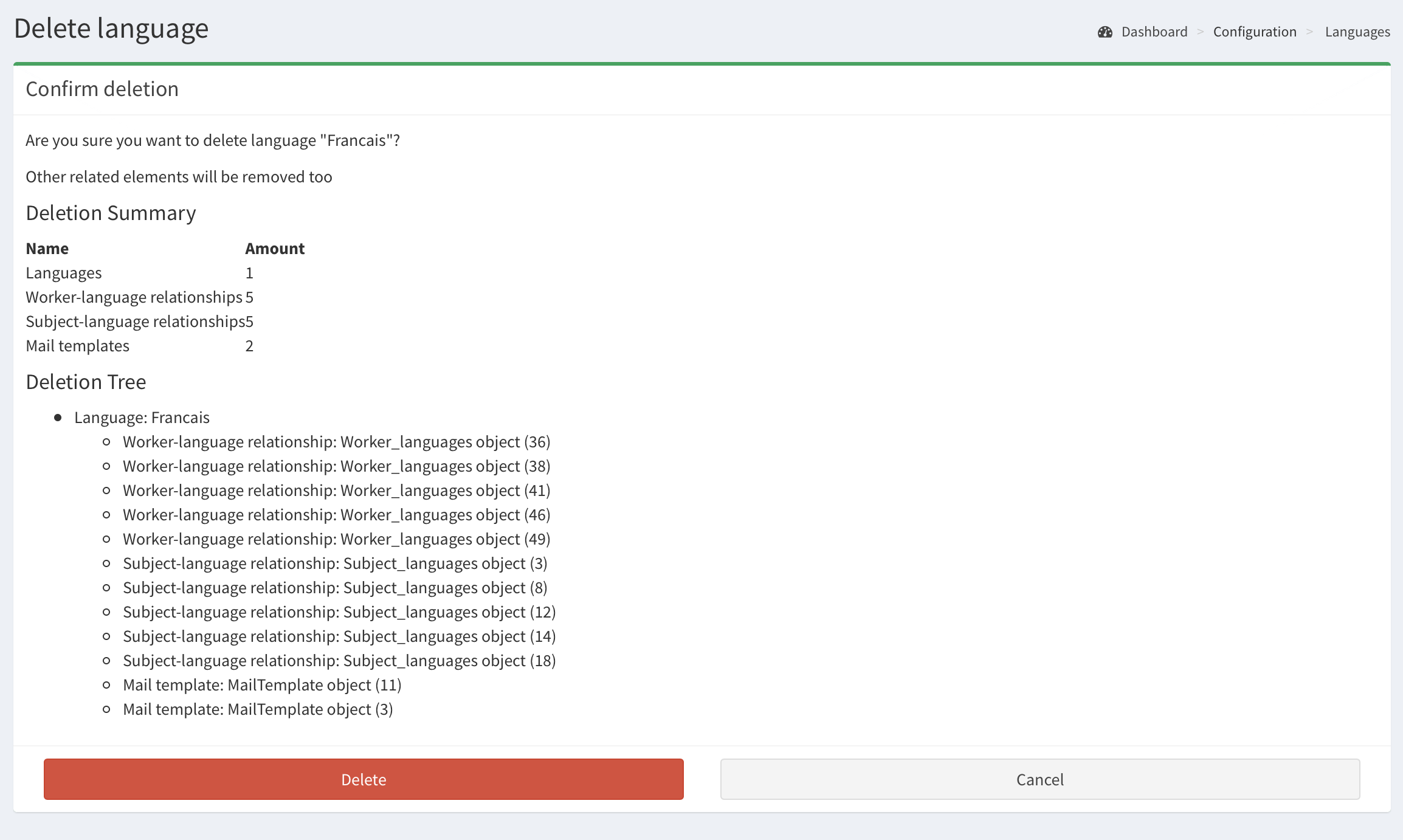
By clicking the delete button (see the first image on the page) you can remove the language. Removing language will remove all subjects with this language specified as Default language for document generation. There will be warning displayed (image below) providing information about all other objects that will be removed along.