Add general appointment#
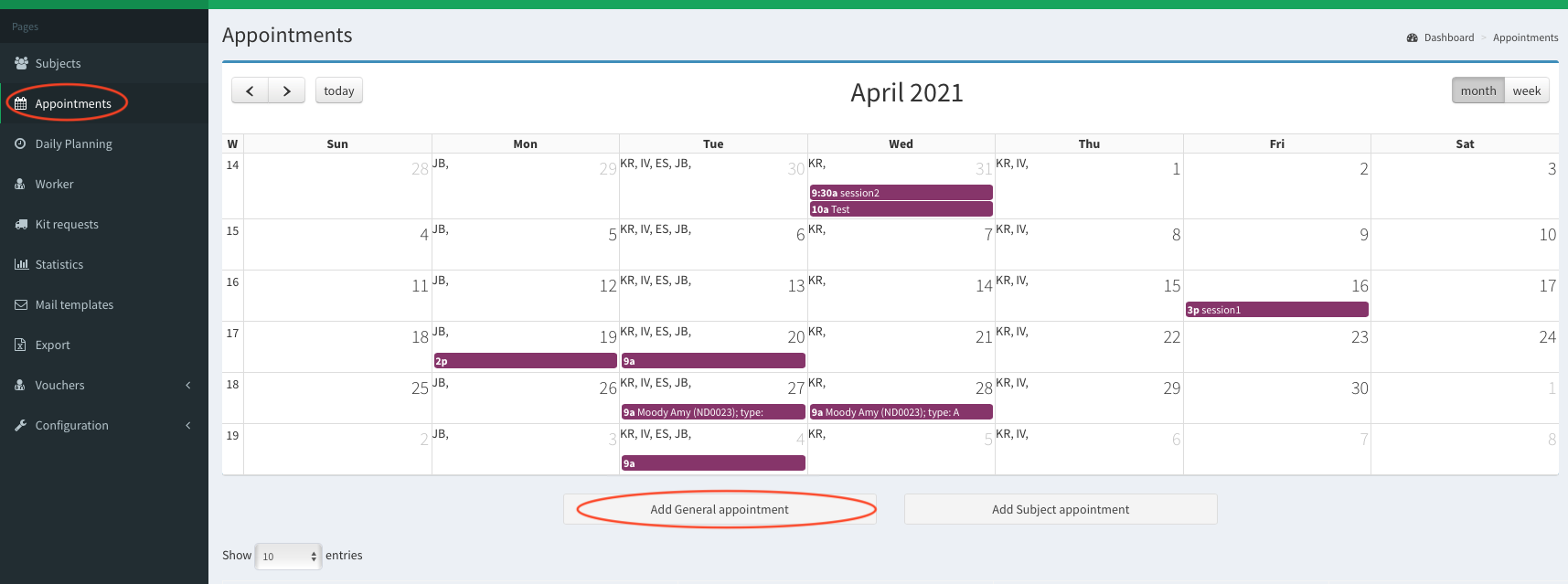
- In the left panel go to Appointments. Then click Add General appointment button.
 Add General appointment
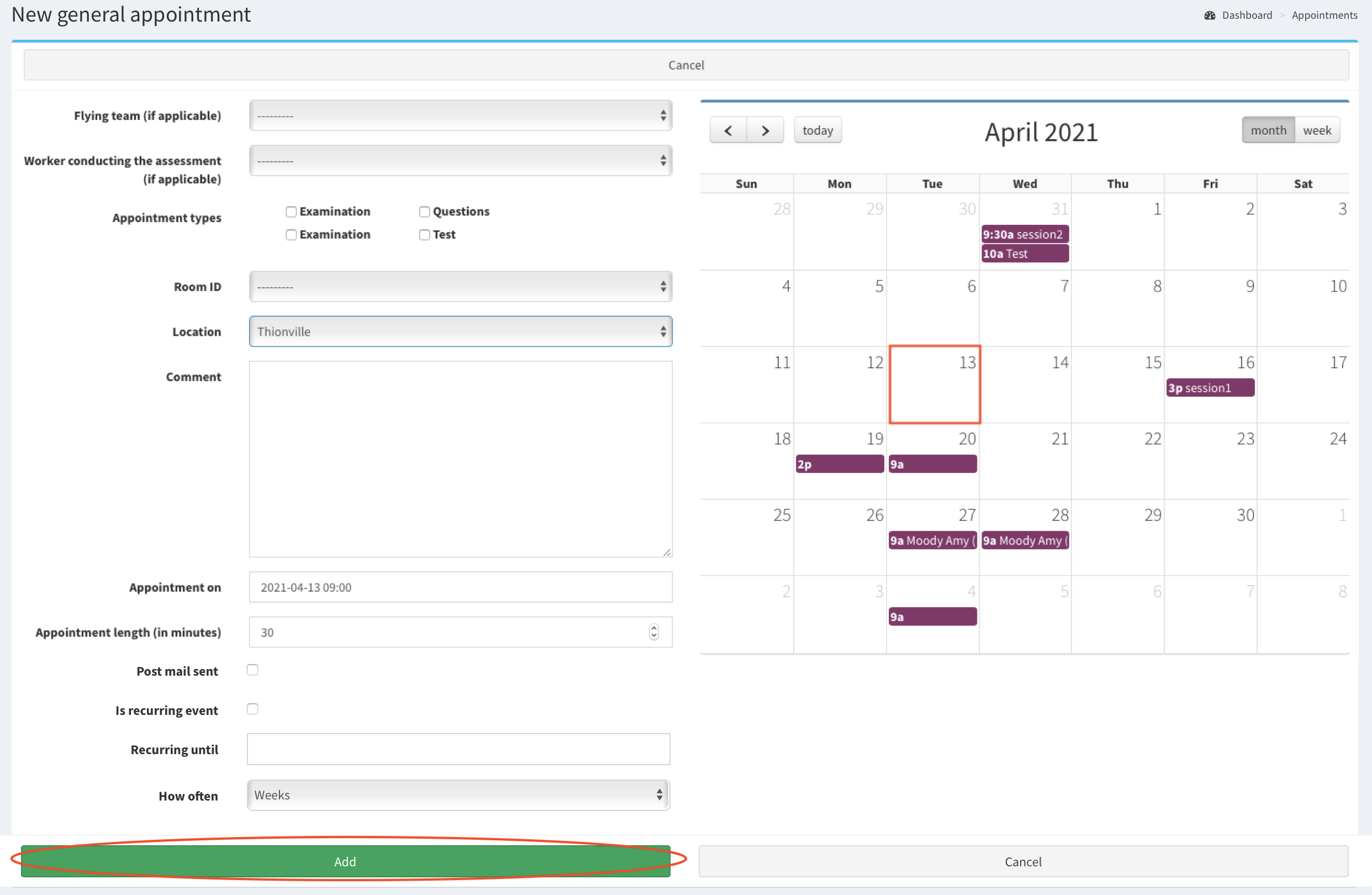
New general appointment window is opened. Fill the form. To provide the date of an appointment click on the particular date in the calendar on the right side of the view. After filling the form, click Add button.
Note: the field Location is mandatory.
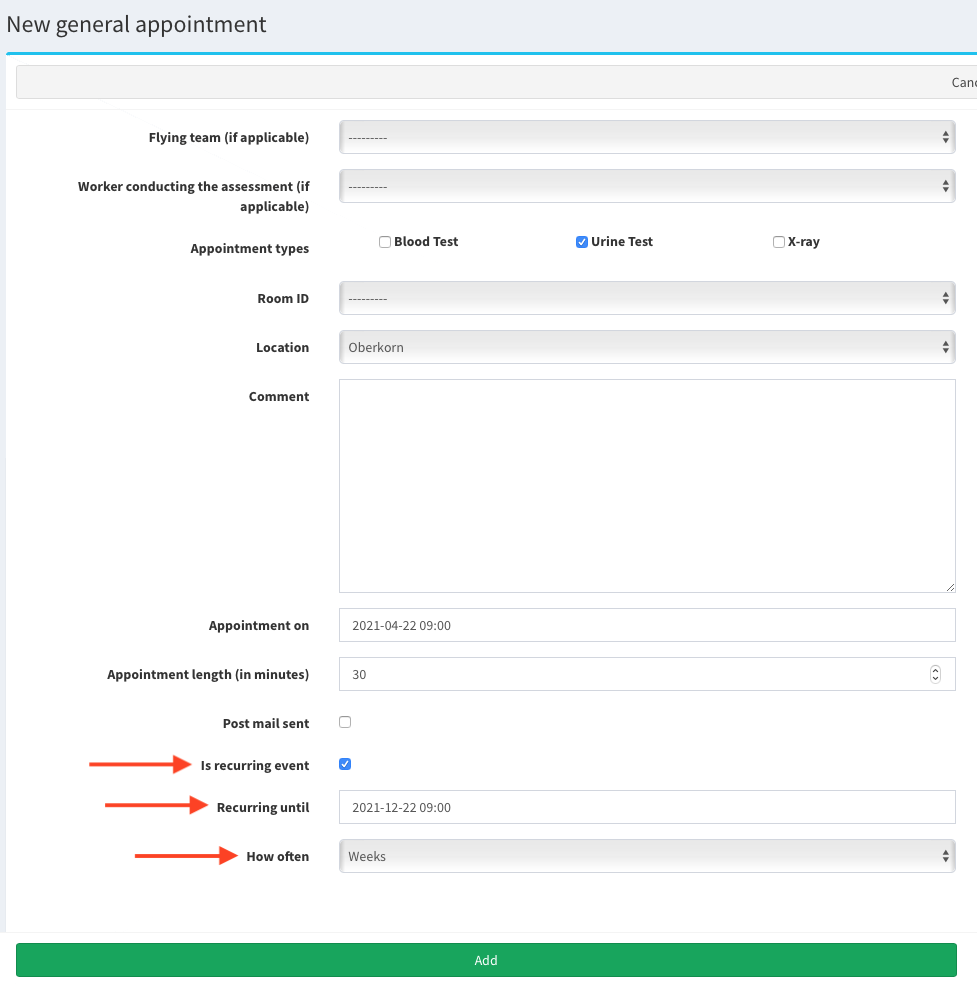
Note: If you check Is recurring event the event will be scheduled every week/month (How often filed) until Recurring until. After the events are created you cannot change it - you would need to modify/delete every appointment separately if necessary.
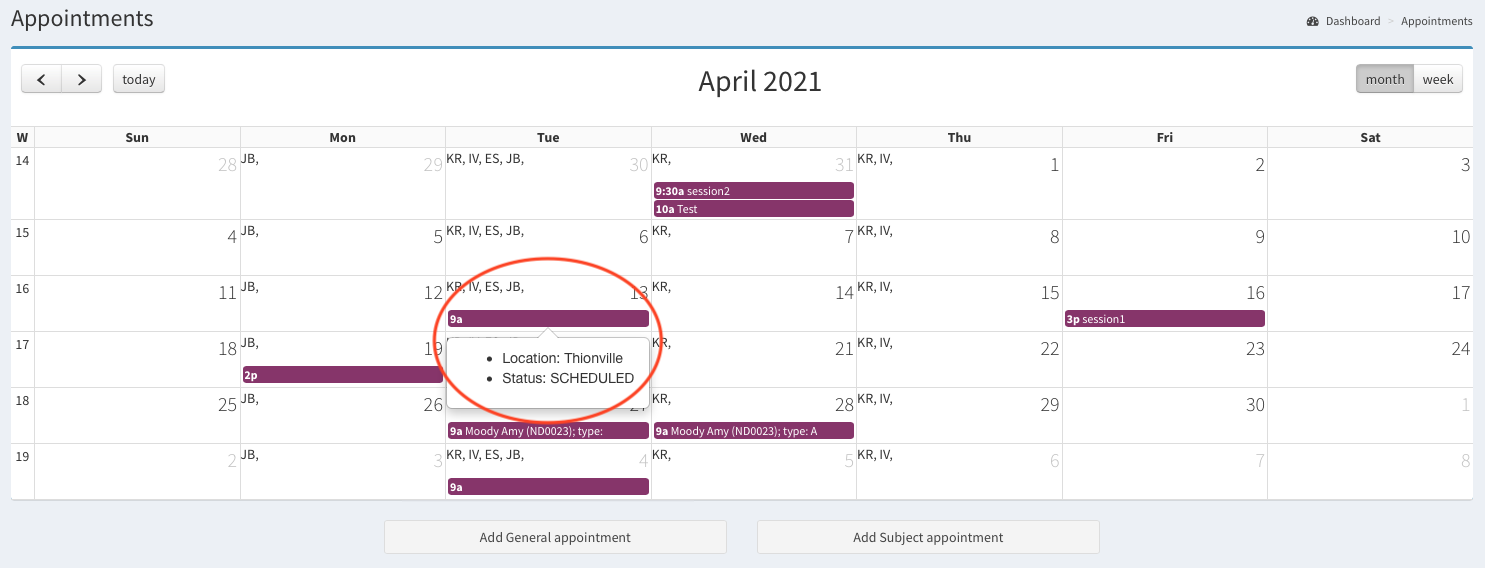
- The appointment on 2021-04-13 09:00 located in Thionville has been added now to the calendar. You can see colourful bar displayed on 13th April 2021 and with appointment’s time 9a (09:00). If you hover over the appointment, the popup with details (Location and Status) will be displayed.