Statistics#
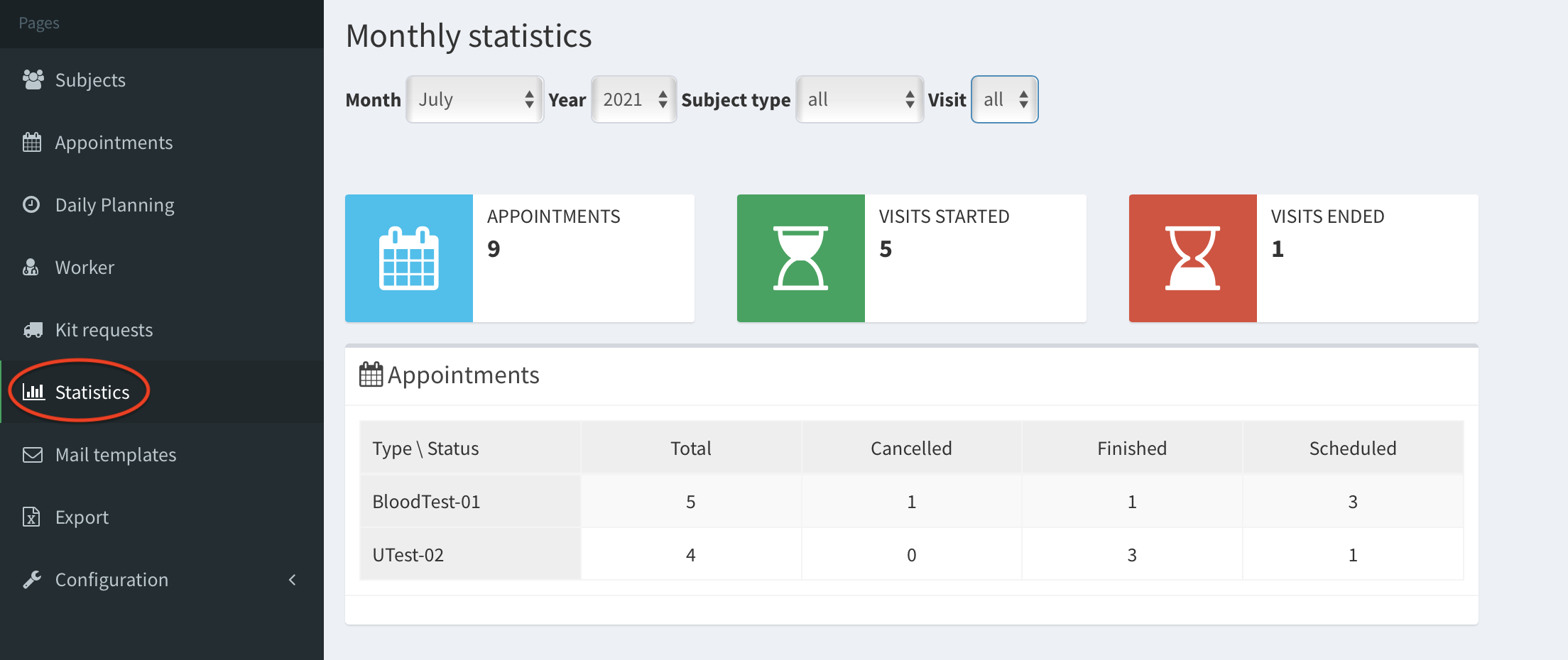
In the left panel, go to Statistics page. Here you find the monthly summary of the visits and the appointments. Moreover, you can check how many and which appointment types were conducted - in the table Appointments (image below).
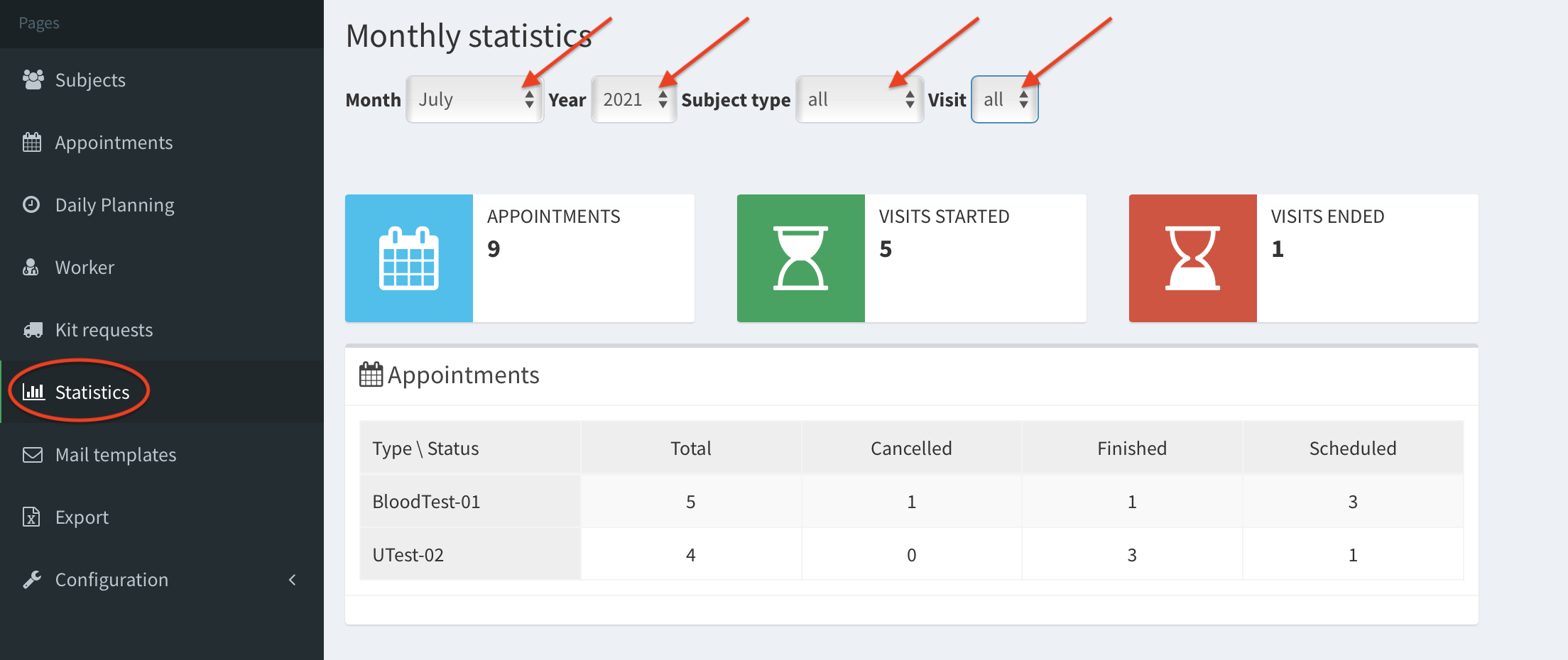
You can filter the data using the following filters at the top of the page:
- Month
- Year
- Subject type (filters: all, Patient, Control)
- Visit - number of visit (all, 1, 2, 3)
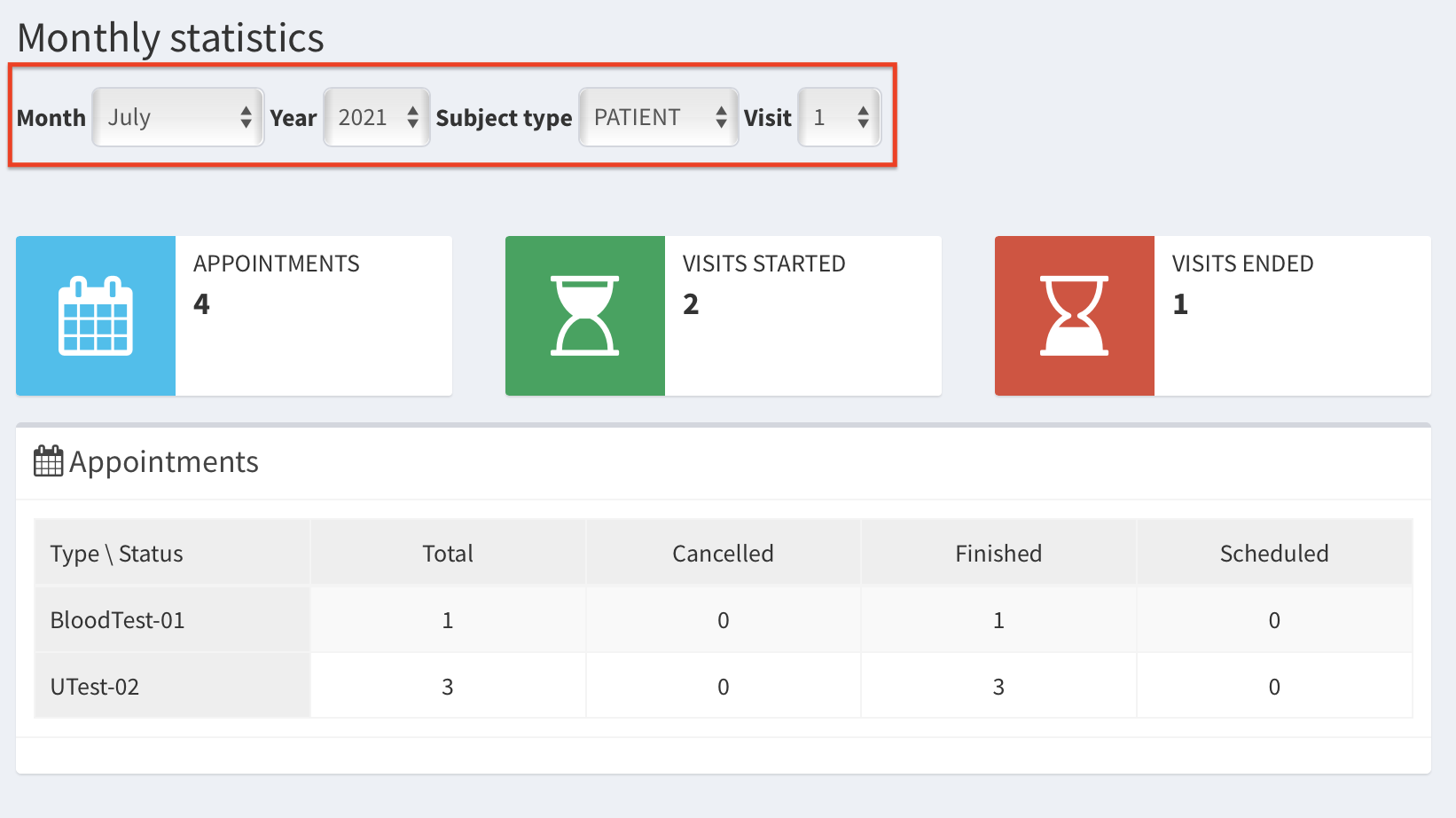
The example of monthly statistics for PATIENT (Subject type) having Visit 1 (Visit) during July 2021 are shown below: